In the AI era, demand for VPS has increased at the higher level. Because it’s not only to host a growing website, but also it is a base box to run any LLM or AI agents.
People find it as safe and 24×7 open home to run AI agents without any interruptions, in comparison to a laptop, which stops AI agent operations once its lid gets closed.
And also people, especially corporations, are concerned about data privacy while feeding their data to AI models. Therefore, they find VPS is a solid choice to run the model in the isolated box to maintain data sovereignty.
But you know, we have a classic problem, as it comes from the inception. Different eras, but same story. Bounds of VPS providers. Which one will be best for you? It takes time and cost.
We have made the selection process easy to filter out serious VPS that have designed their infrastructure and constantly update it to catch up to AI agitation. Apart from that, they are already big names in the app and web server and provide no-cost trials and free credit.
However, we listed 5 such companies; you can try it before committing to a long-term relationship. It will benefit both sides; both of you will have a smoother ride.
Now let’s dive in.
2. DigitalOcean (30-day trial)—Native AI cloud platform, currently best for AI deployments
3. Vultr (30-day trial)—A renowned VPS provider relies on high-performance infrastructure.
4. VPSServer (30-day trial)—A business-grade VPS, a good starter for growing bloggers
5. Cloudways (30-day trial)—A non-coder wants to try GCP, AWS, or Digital Ocean with an affordable managed service.
Table of Contents
1. Kamatera
Kamatera has been known for their rock-solid enterprise-grade infrastructure and providing cloud hosting to websites and applications since 1995.
Now, they have built their servers fully Docker-ready to run your autonomous agents, workflows, and LLM in a secure and enterprise-grade cloud environment without any interruption. So you can shut down your laptop by knowing a rigorous infrastructure is running, your autonomous system for better results.
For the web server side, you would have Litespeed, NGINX, and Next.js along with 100+ applications for fulfilling a variety of purposes like VPN, RDP, containers, database, monitoring, business management, load balancer, gaming, and e-commerce.
Some of those apps are Supabase, Hermes Agent, OpenClaw, Discord Bot, MineCraft, Magento, Node.js, and Odoo.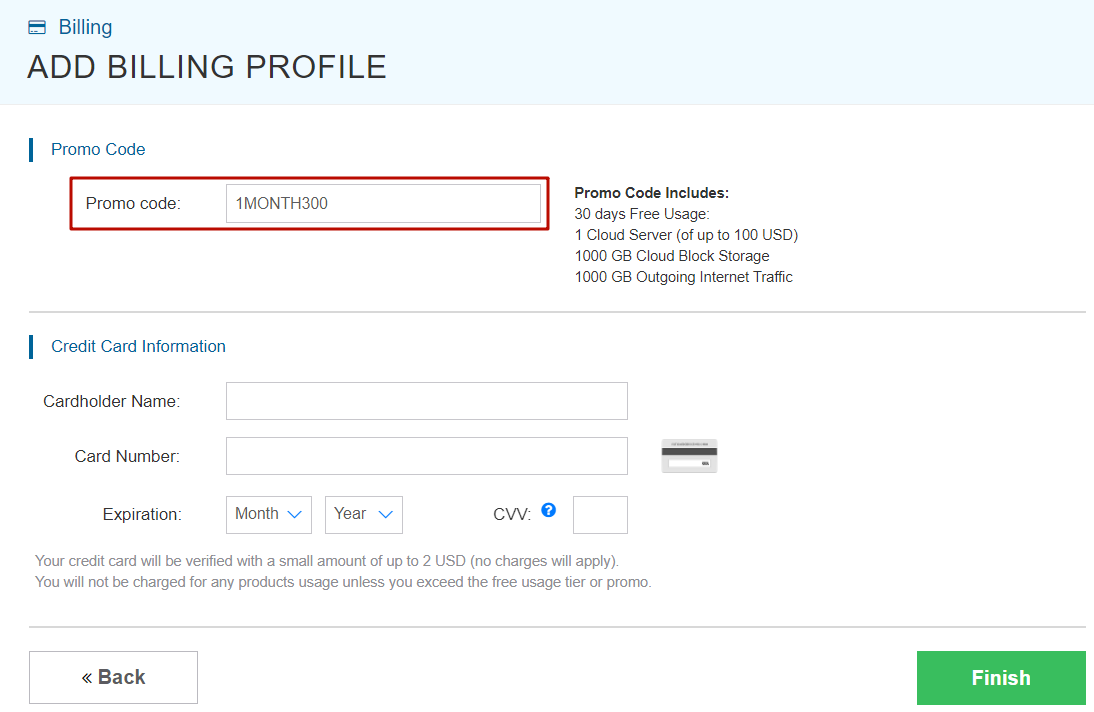
The cloud provider believes in flexibility; you can customize your server size by deciding the size of each component, like RAM, CPU, and storage. I would call it their biggest flex.
Moreover, the platform uses N+1 redundancy, cloud firewall, and disaster recovery management to avoid any sleepless nights due to cyberattacks.
Thanks to the AI boom, that caused the cost of RAM and SSD storage to exponentially rise; regardless, they keep their starting plan unchanged, which is $4 per month.
However, you can deploy an AI agent, run a web server, or use an MCP server to test their VPS with a 30-day trial. They also come with $100 credit.
How it performed in our testing
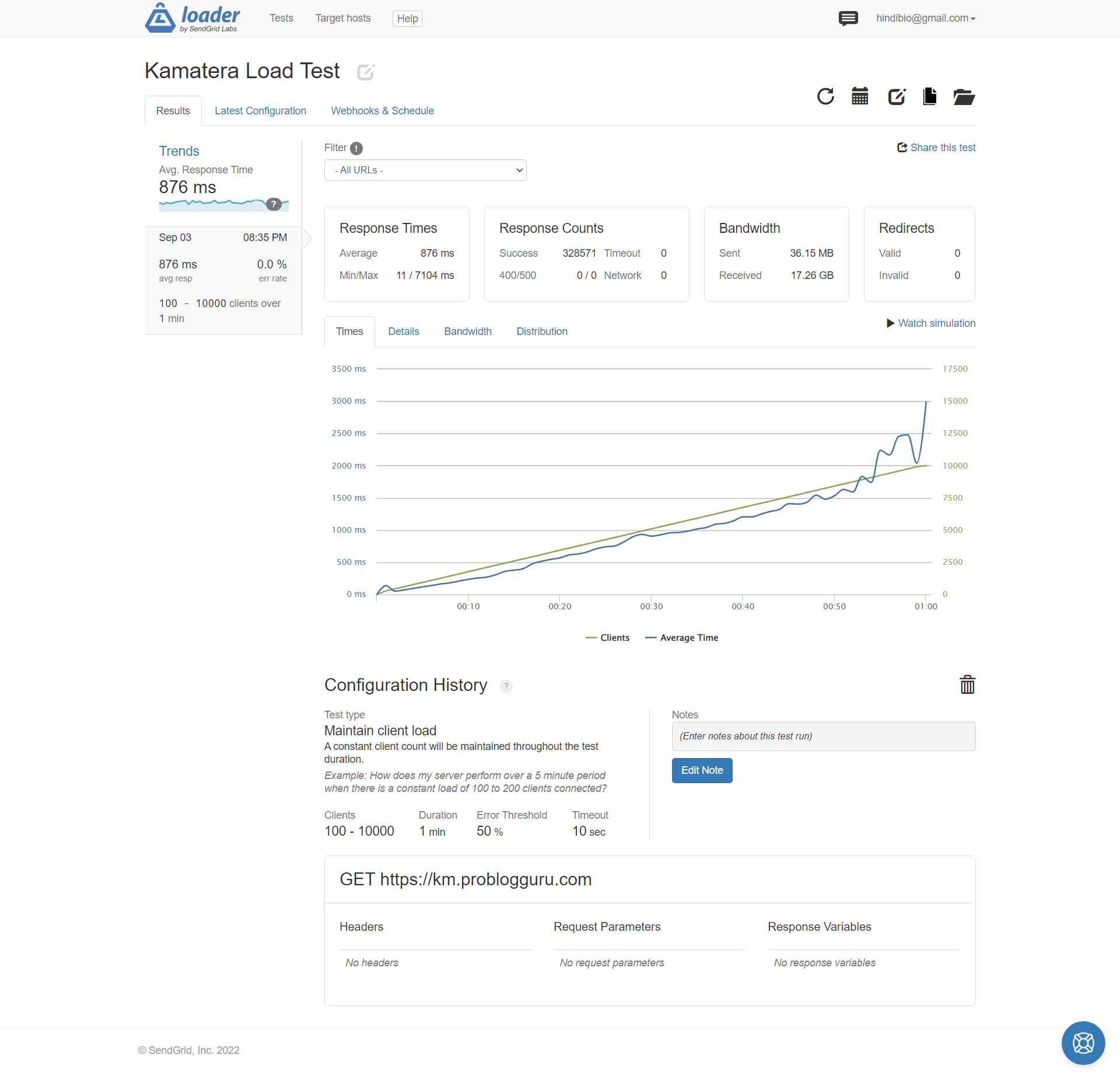
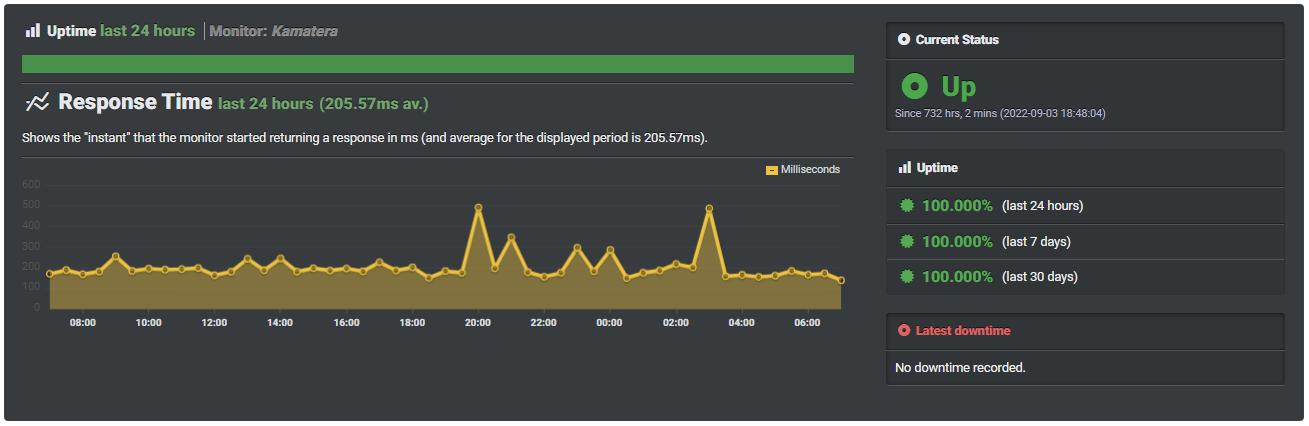
We tested its start plan ($4/m) in New York. It has 2.7 GHz Intel Xeon Platinum chips, 1 GB DDR5 RAM, and a 20 GB NVMe SSD.
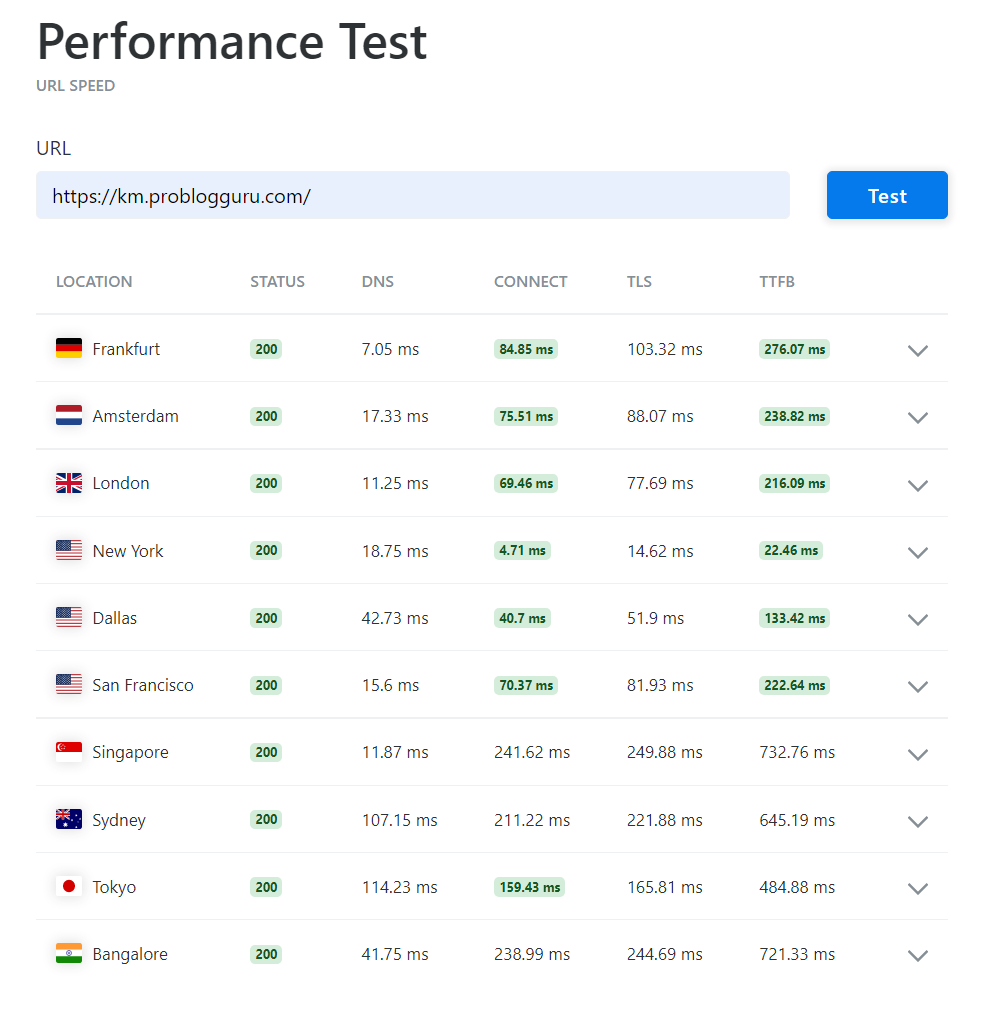
The server was so fast that it responded in just 22 ms, handled around 10K concurrent users with zero errors, and maintained 100% uptime.

- Enterprise-Grade Infrastructure
- Generous Pricing
- DDR5 RAM & NVMe SSD
- Flexible Server Component Choice
- Windows & Linux OS
- 24 Global Data Centers
- 100+ One-Click Apps
- DDoS Protection
- Pay-as-you-go Payment Model
- Inexpensive Managed Service
- No GPU VPS
2. Digital Ocean
I won’t shy away from disclosing that DigitalOcean was my first love, which had introduced me to cloud hosting for my growing blog. Still using for some of my projects, and I am witnessing how they have transformed from a sole cloud platform to a native AI cloud platform. Therefore, their pricing got hiked.
But they have maintained their core, which is simplicity. Deploying a server is flawless. As usual, a variety of Linux OSes and platforms of apps are available to launch your traditional apps. Moreover, for AI lovers, you will find GPU-optimized environments like serverless, dedicated, and batch inference, where you can run AI apps, AI agents, Codex CLI, Grok Build, etc., for tremendous performance.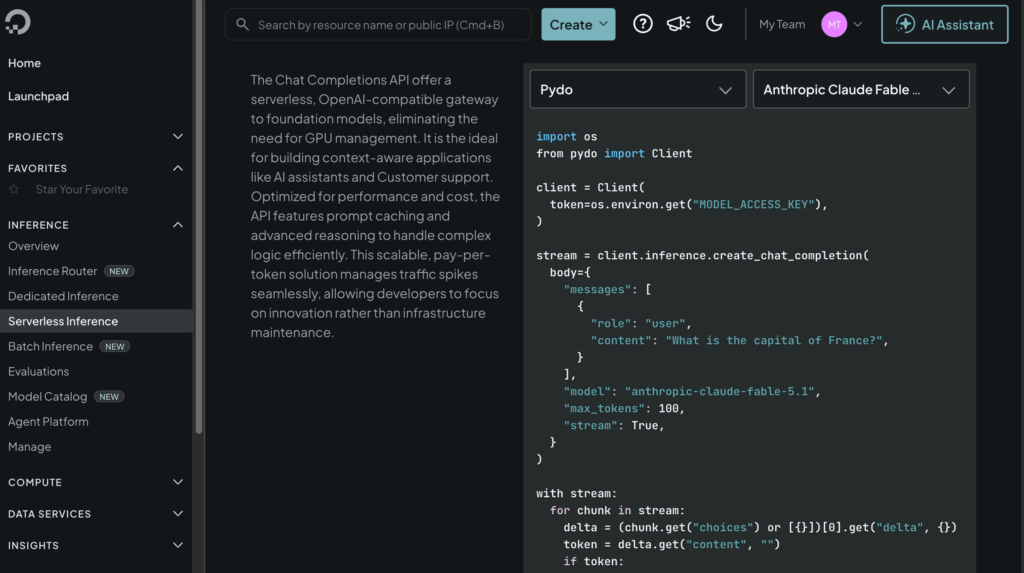
You can try it on with its modest UI. As it provides a promotional $100 credit for 30 days.
How it performed in our testing
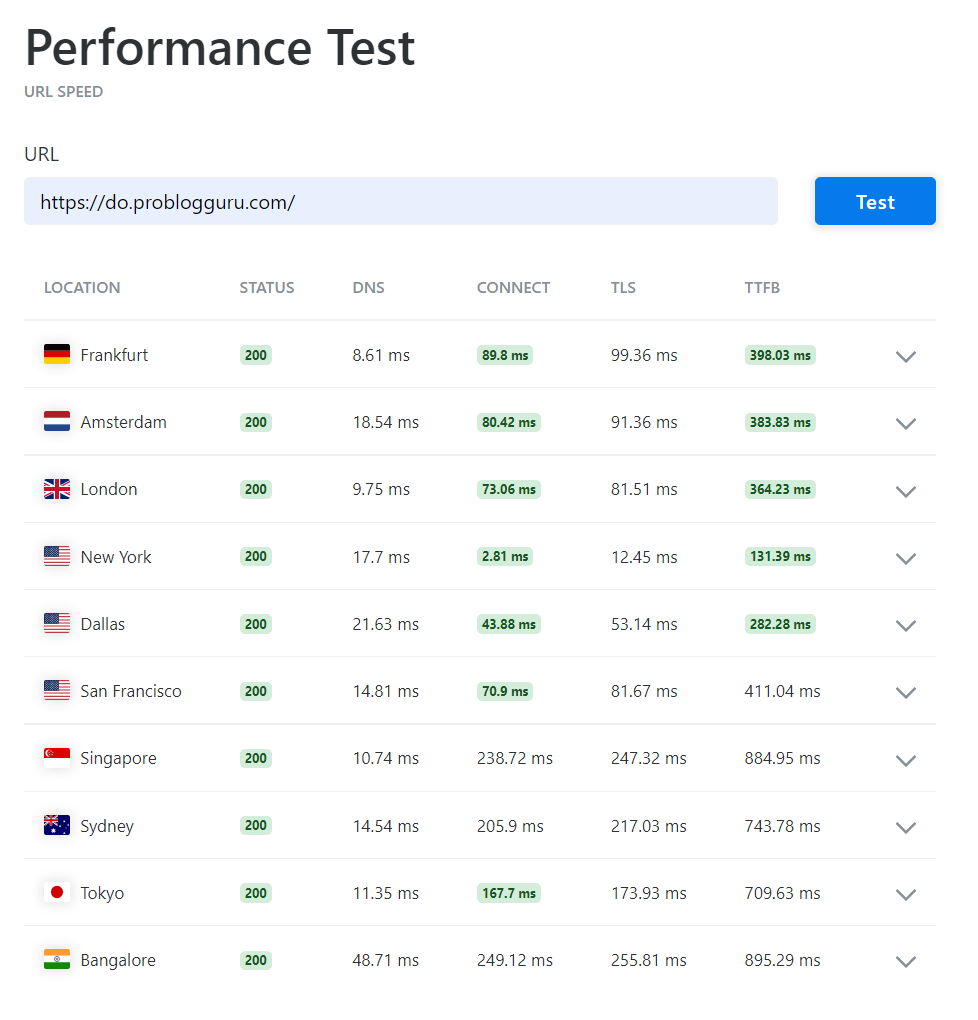
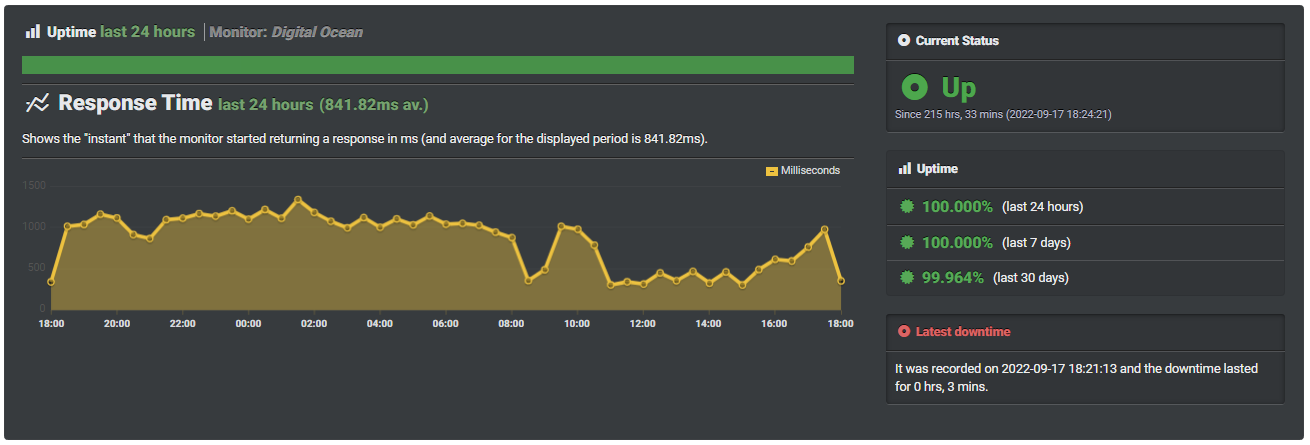
We picked the $6 plan that contains 1 vCPU, 1 GB RAM, and 25 GB SSD in New York. It was smoother to set up. It delivers the first byte in 131 ms and retains 99.95% uptime.
- Verstile AI Environment
- Simple Dashboard
- 15 Global Data Centers
- NVMe SSD & GPU
- Faster DNS
- Pay-as-you Payment Model
- Pretemplated support only on the ticket
3. Vultr
I used to prefer Vultr over DigitalOcean for its lightning-fast operation of their server component. Particularly for its 3+ GHz CPUs.
But in the AI race, it seems that it is left behind. Recently, upon logging in to its dashboard, they have also introduced a serverless inference that supports DeepSeek, MiniMax, and Qwen.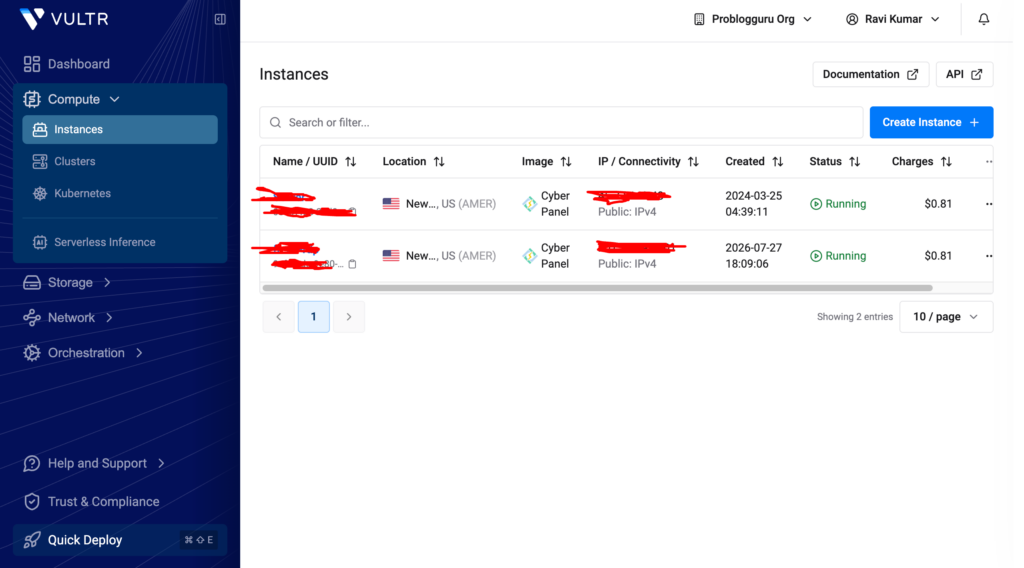
For server operation, the platform has cloud GPU, dedicated CPU, and bare metal, which cover the need from a growing blogger to an MNC.
You can test it with a 30-day trial and decide whether it is going to fulfill your purpose or not.
How it performed in our testing
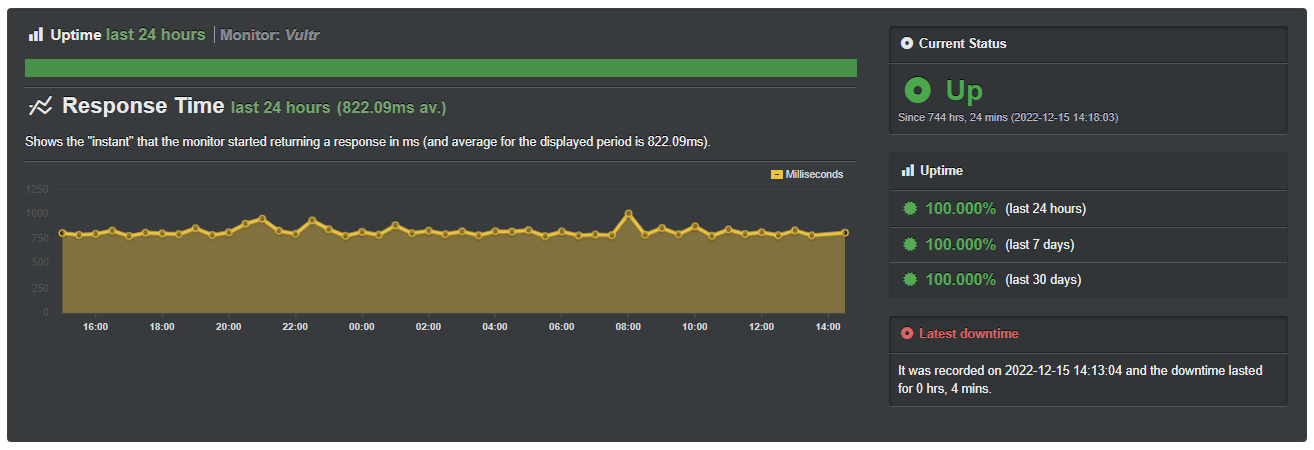
Its $5 plan delivered the first request in 54 ms from New York server and scored 99.96% on the uptime board throughout stress testing.
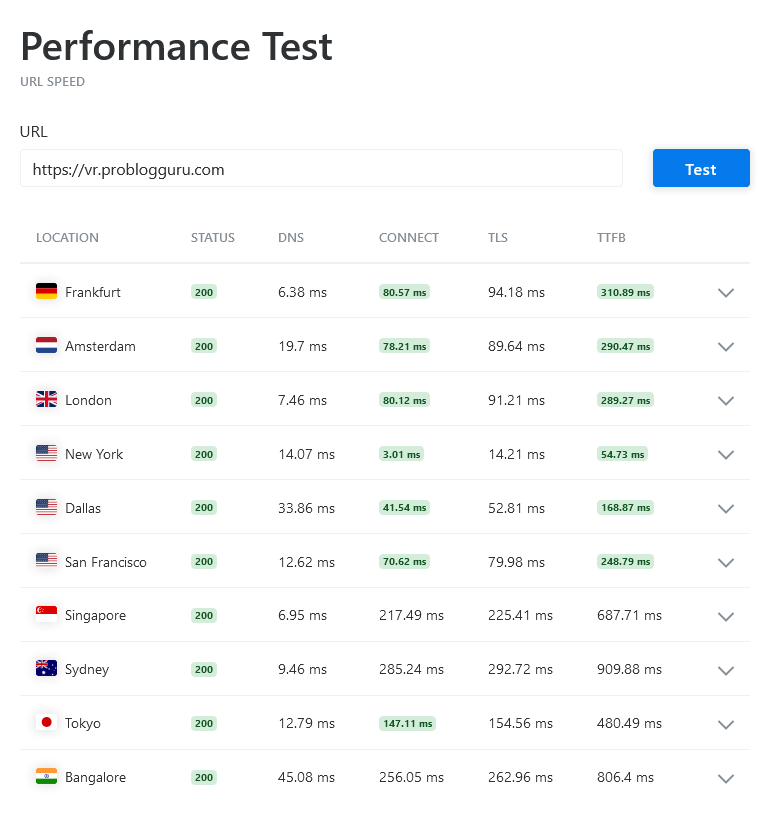
The server has 1 shared CPU core, 1 GB RAM, and a 25 GB SSD. It also has a huge bandwidth limit of 1 TB/m.
- Stable VPS Infrastructure
- 32 Global Data Centers
- AI Inference
- DDoS Protection
- Windows & Linux OS
- Ticket-Based Support Only
4. VPSServer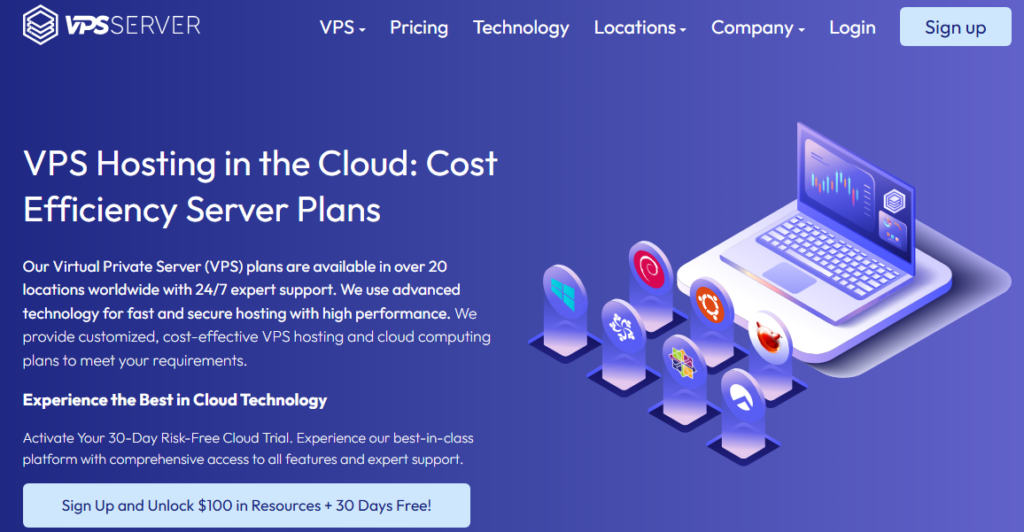
If you’re a beginner and only serious about any app or web hosting or RDP, go for VPSSever, as it comes with business-grade server components and Windows and Linux that boast pinnacle performance.
Their 20+ data centers open the whole world to make deployment near the major market. So you can get the fastest latency and trade or make more revenue.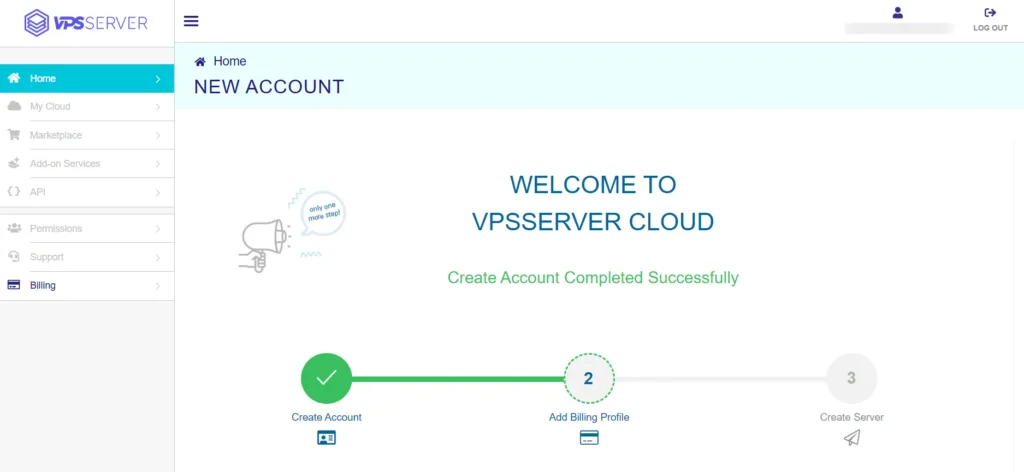
DDR5 RAM and NVMe SSD double the performance. You can consult their 24/7 expert team about the performance enhancement and issue resolution.
If you’re interested, you can start your cloud hosting journey with their 30-day trial.
How it performed in our testing
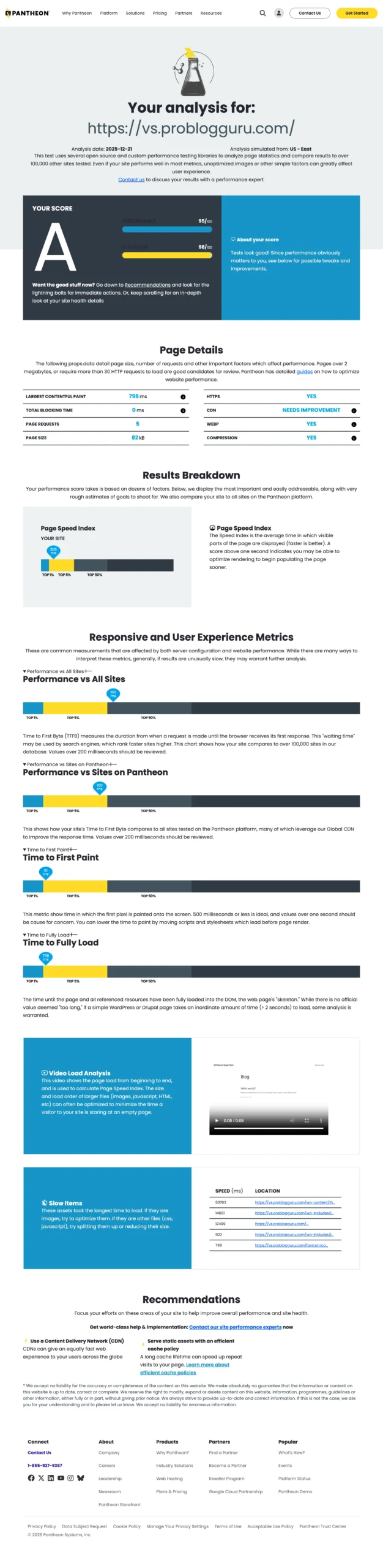
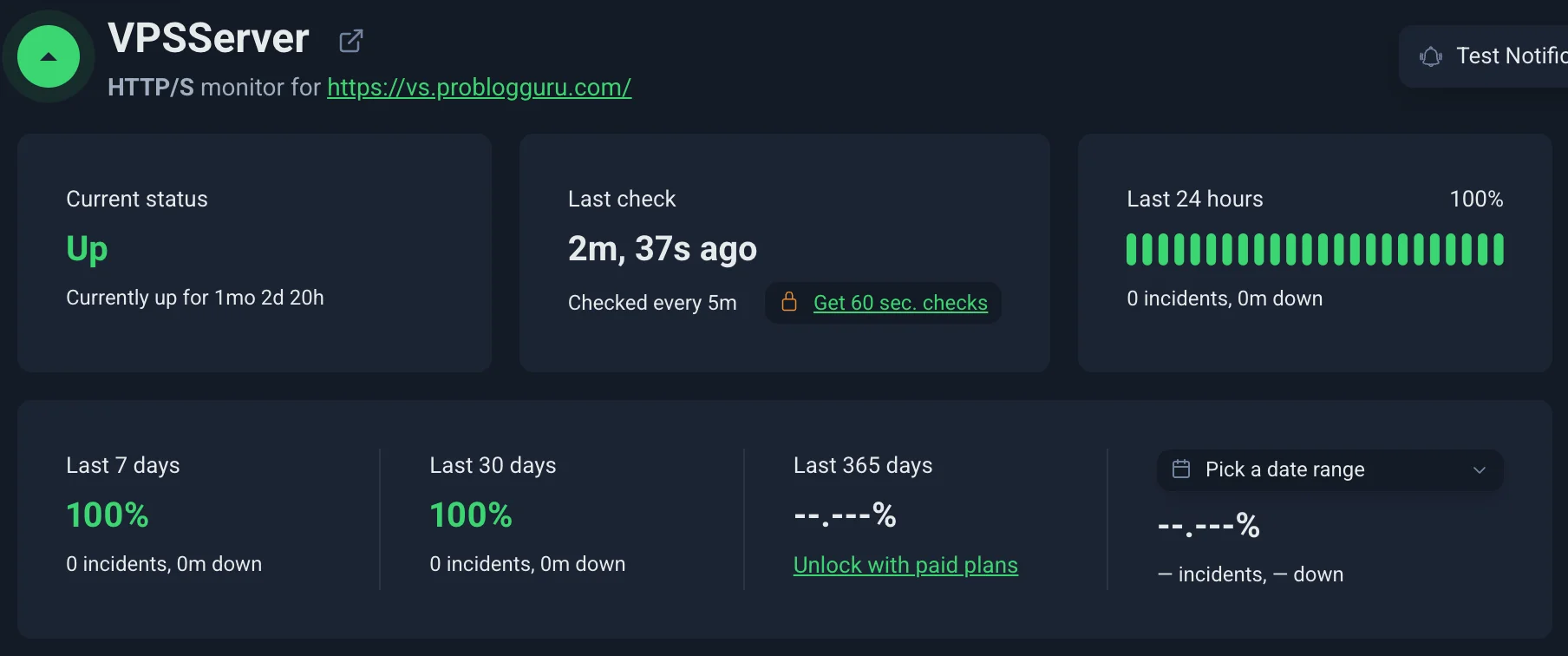
VPSServer entry plan took just 51 ms to deliver TTFB and sustained 100% in spite of 30-day concurrent loading.

However, the server was built of 1 vCPU, 1 GB RAM, and 20 GB SSD, which costs $4 per month.
- Business Grade VPS
- Flexible Server Component Choice
- 40+ One-Click Apps
- Diagonal Scaling
- 24/7 Expert Support
- No SSH Key Support
5. Cloudways
Cloudways is a managed VPS provider, and it is the best fit for no-coders. You just need to deal in clicks and host your website on major cloud platforms like AWS, GCP, Vultr, Linode, and Digital Ocean at affordable pricing.
Expert support is available at the ticket system to be ready to help you and migrate your website for free.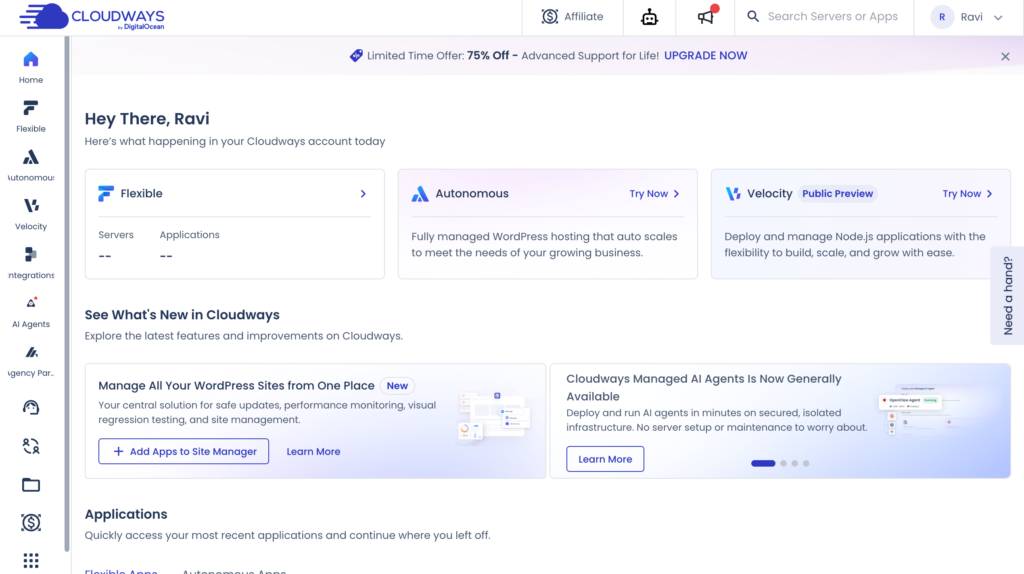
Literally, you can enjoy top performance without getting your hand nasty. You can try it today for free without any credit card.
How it performed in our testing
At Cloudways, we chose DigitalOcean servers, which start at $11 with managed service and bring 1 GB RAM, 1 vCPU, and 25 GB SSD.
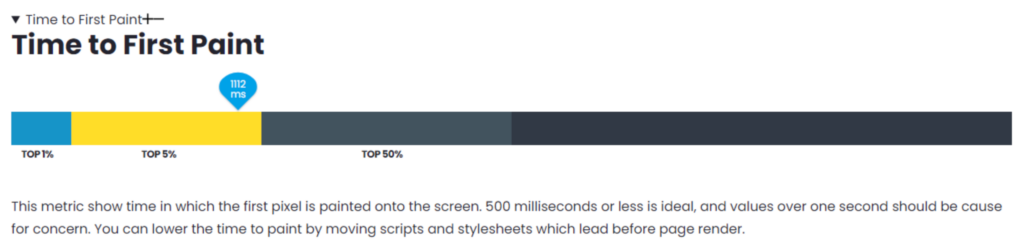
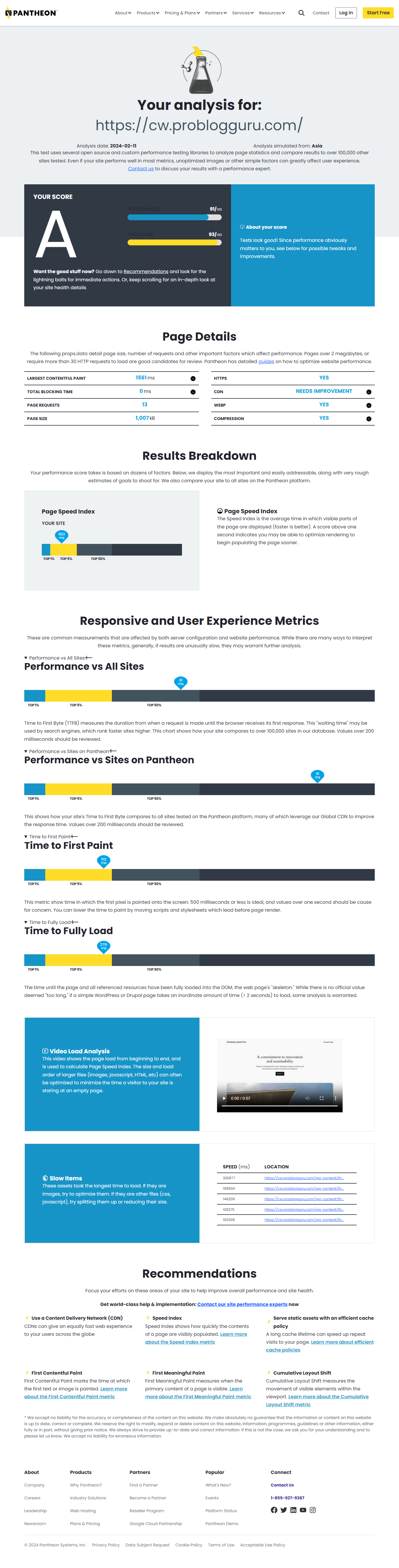
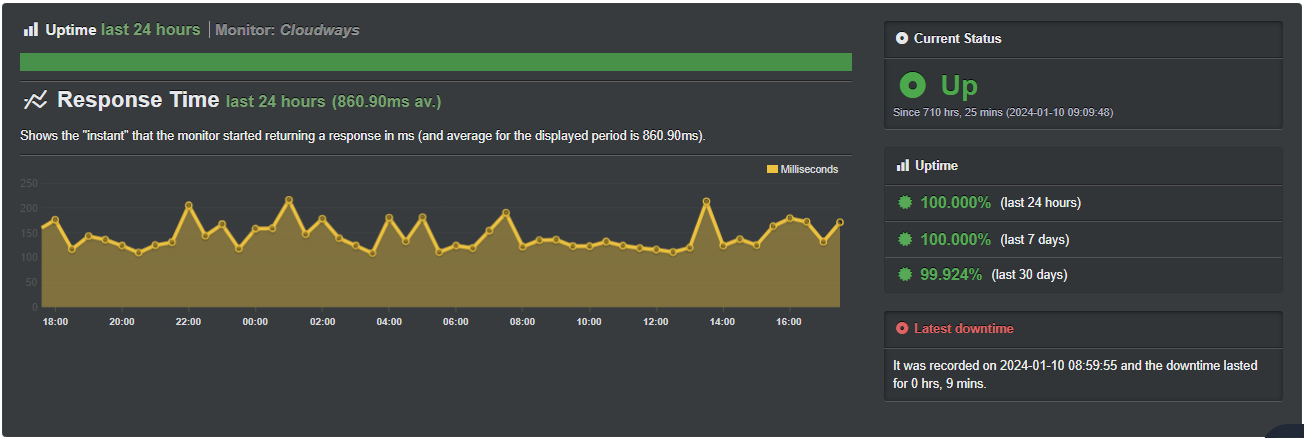
In our test, the server responded in 93 ms and achieved 99.92% uptime.
- Renowned managed VPS
- Free migration
- Malware scanning in real time
- Quick Support
- The trial period is so tiny.
Conclusion
In the list, every VPS provider is a strong player in their category. If you want to play with AI, go for Kamatera and Digital Ocean, but if you’re no coder, go for Cloudways; it saves you a lot of mind disturbance.
FAQ
Can I use the VPS free trial for forex trading?
Yes, Kamatera and VPSServer are good choices, as they handle everything from server performance to Windows licensing. They are official Microsoft partners.
Do I need a credit card for a free VPS trial?
I firmly believe credit card filters out non-serious users and keep the platform safe for other users. So Kamatera, Vultr & VPSServer require a credit card. But Cloudways can welcome you without it.
Can I run a real website or app on a free trial?
Yes, of course! All the above free trials provide the full version of their services. These companies genuinely want you to know them better, and it builds a long relationship.
What happens after the free trial ends?
Your account status will be changed to paid. You need to pay to continue the services.

Ravi Kumar is a Server Performance Analyst with over 4 years of experience benchmarking cloud infrastructure. He has optimized and stress-tested over 150+ websites, digging deep into uptime, disk latency, and CPU performance. Whether you’re looking for a free trial or a high-performance production server, Ravi uses real-world data to help you find the perfect host.