Are you looking for a VPSServer promo code? You’re at the right post.
The emerging cloud platform offers coupons and promo codes for bloggers, developers, and startups to test a free dive into their starter, standard, and enterprise-grade servers.
Therefore, we have collected a multitude of coupons to fulfill multiple purposes.
Now lets’s get started.
Table of Contents
VPSServer Promo Code

How to Apply VPSServer Promo Code
It is quite easy to get the kind of benefit, but to make the experience smooth, having a credit card is a must. Then in 2 minutes, you can do and launch your first cloud server.
1. Click any coupon code above.
2.Click on the Start your free trial now! button.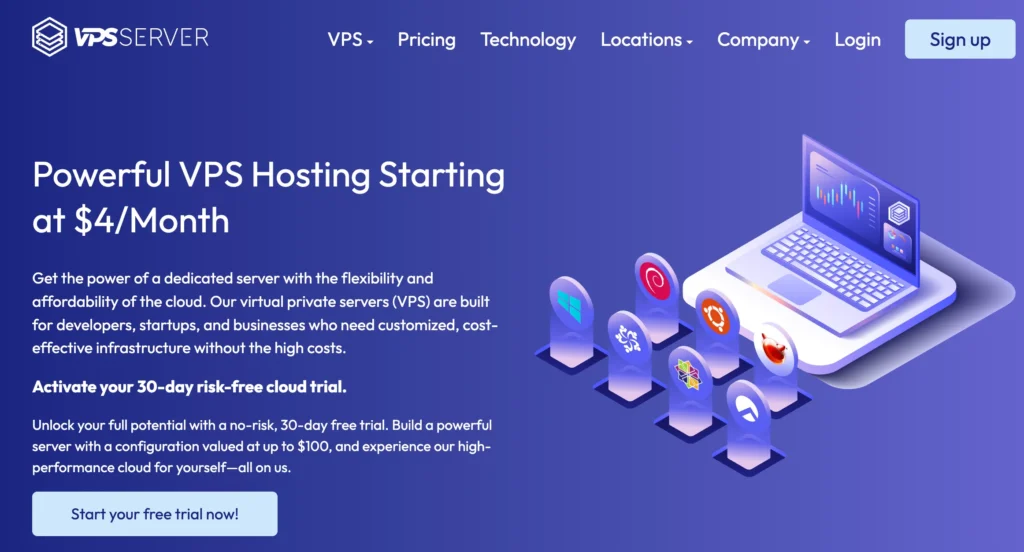
3. Fill in your email address, set a new password, and click Go.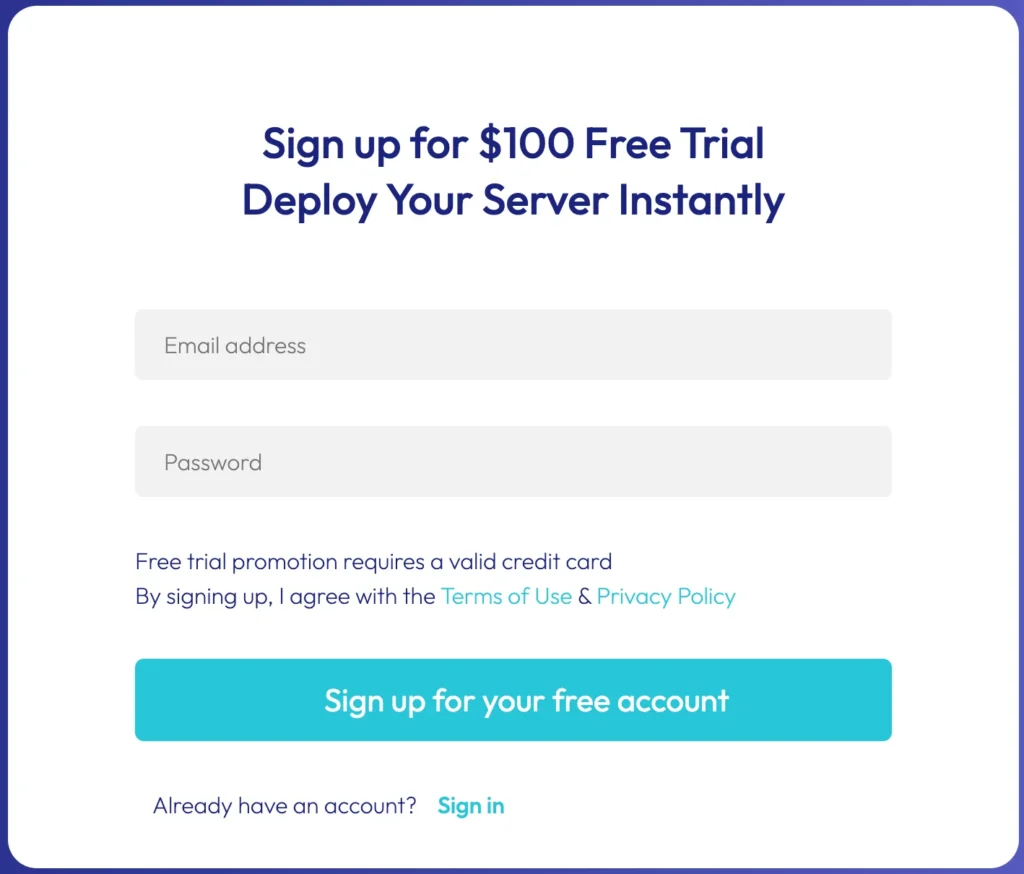
4. You need to verify your email address.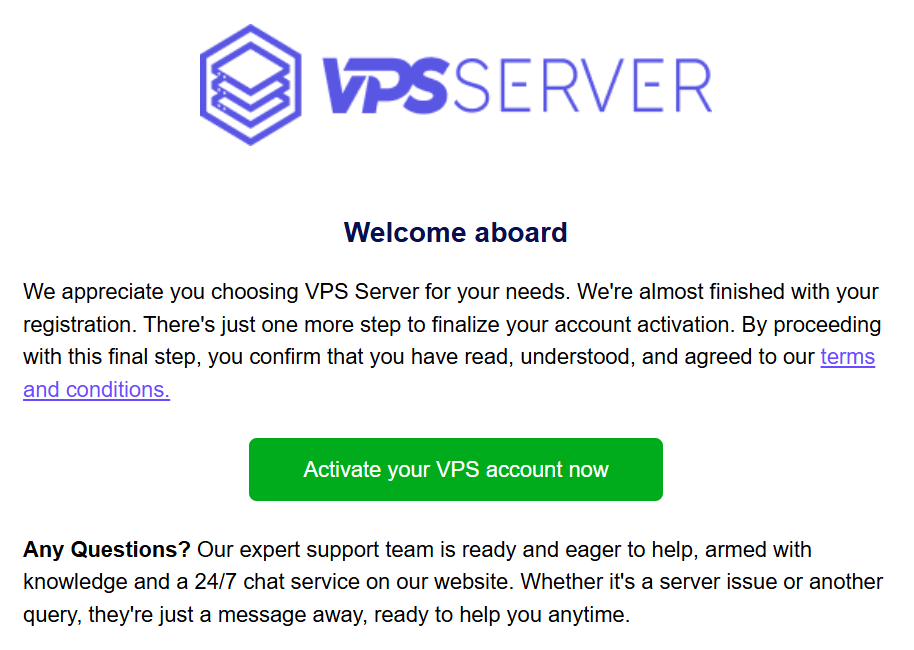 Check your mail and click on the verification link.
5. Your email address will be verified, and you will be redirected to the VPSServer Management Console.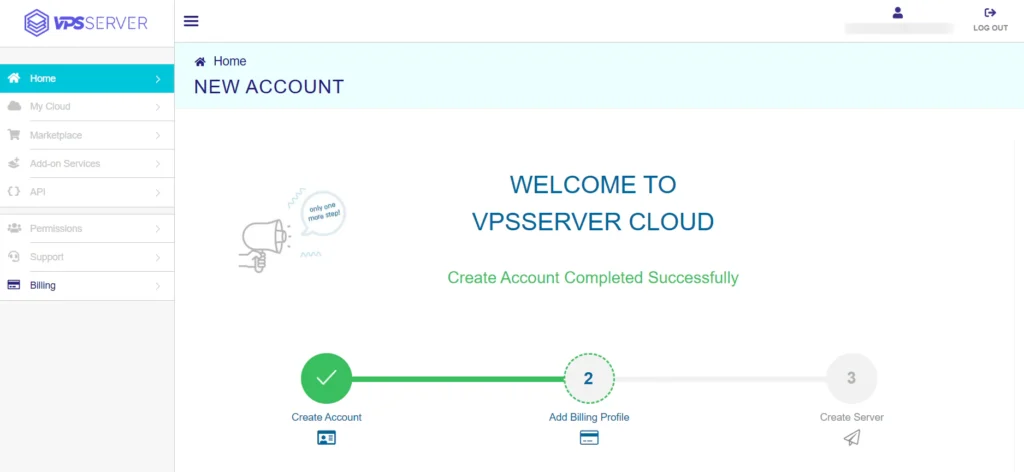
6. Now complete the billing profile. It is divided into four sections.
Account Information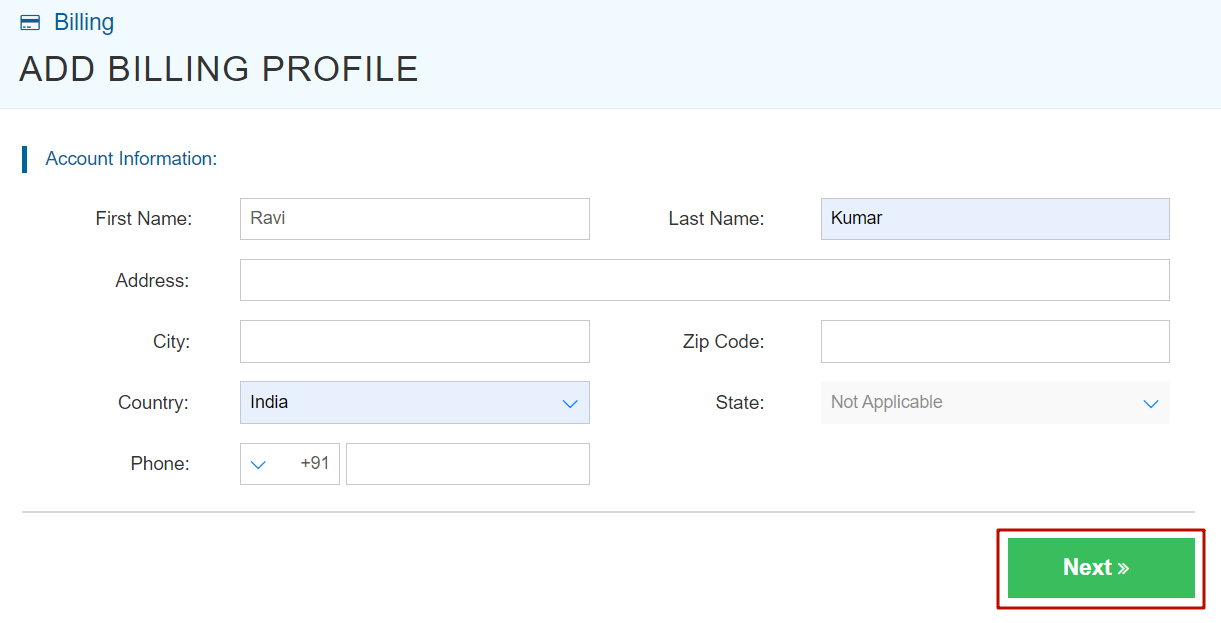
In the section, fill in your name, address, zip code, and phone number.
Phone Verification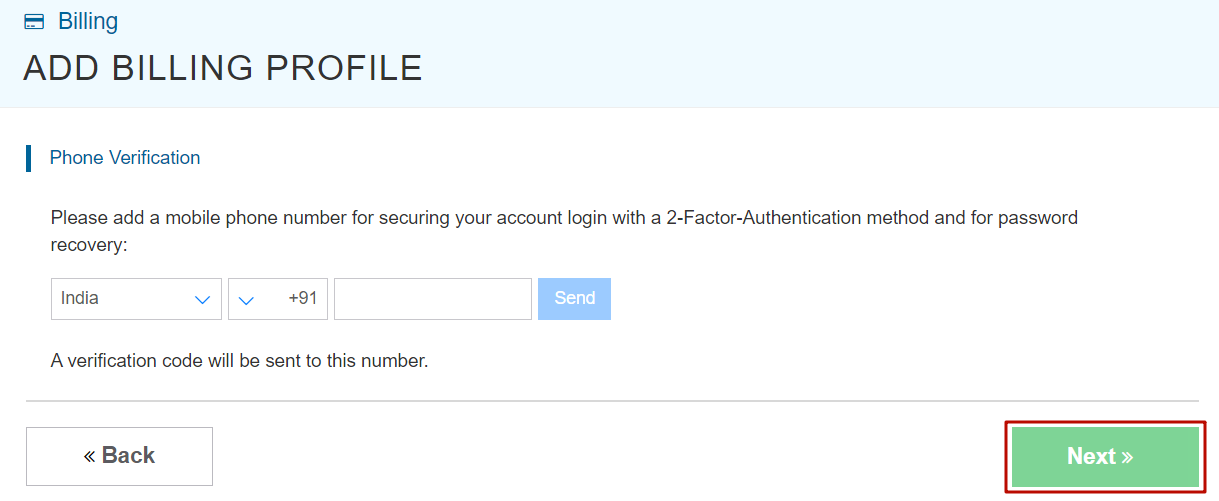
Enter your phone number and verify it. It will enhance the security of your account.
You can log in with 2-factor authentication securely.
Promo code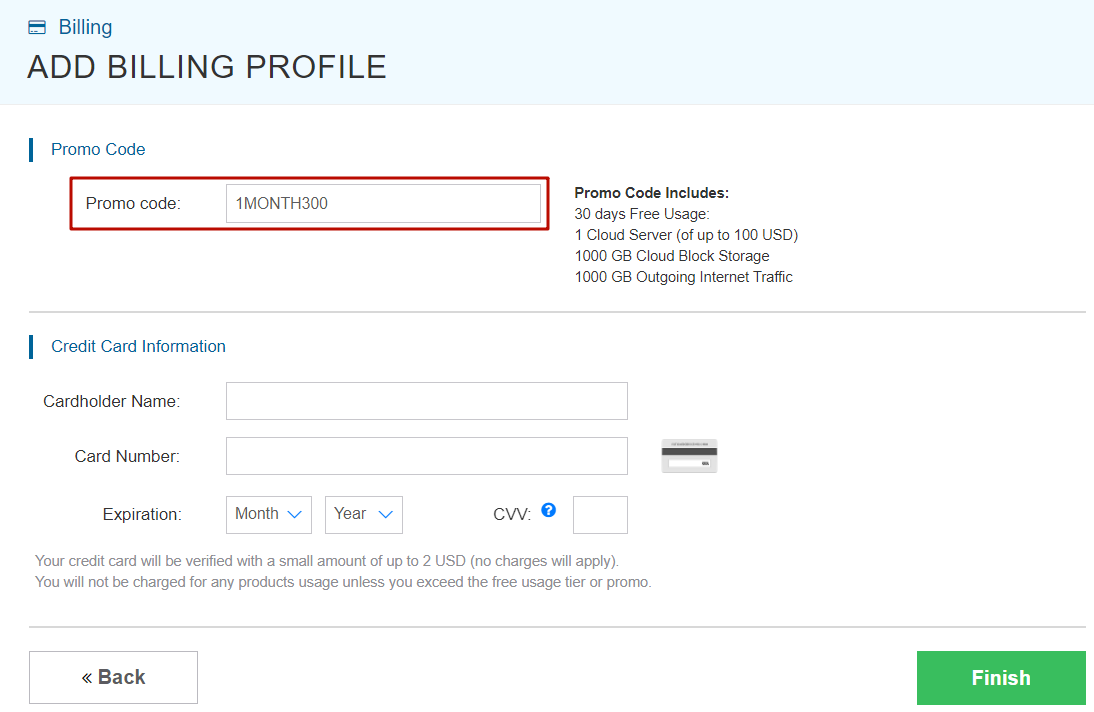
No action is needed from you; 1MONTH300 promo code will be applied automatically.
Credit Card Information
Provide your card information, including the cardholder name, card number, expiration date, and CVV.
After filling in all the details, click Finish.
It will charge up to $2 from your credit card for payment method verification, and they will reverse the amount in the next few seconds.
Now your VPSServer account is fully ready, and you can launch your first cloud server.
About
VPSServer is one of the most affordable VPS providers out there with modern technology. Their servers are built of Intel Xeon 2.7 GHz Skylake processors, DDR5 RAM, and NVMe storage.
All the plans come with unlimited IOPS, 10 gbps network speed, and a 99.9% uptime guarantee. You can deploy almost 40+ one-click apps under their simple dashboard.
However, multiple Linux and Windows OSes are also available for fulfilling customized purposes.
Pricing
The platform provides three types of servers with highly customizable CPUs, RAM, and NVMe that make you combine anything with anything, like a 32-core CPU, 512 MB RAM, and 20 GB NVMe.
I mean, you can do thousands of types of server configurations, and pricing is being set on that basis. Here, we’re presenting plans of our combination.
Starter Server Plans (Type A)
It is best for small projects that can handle variable levels of CPU performance, like blogs and web apps. The size of RAM goes up to 128 GB, storage to 4 TB, and the CPU to 32 cores.
| RAM | CPU | Storage | Bandwidth | Price |
| 512 MB | 1 Core | 20 GB NVme | 5 TB | $4/mo |
| 1 GB | 1 Core | 20 GB SSD | 5 TB | $4/mo |
| 1 GB | 2 Cores | 20 GB SSD | 5 TB | $8/mo |
| 2 GB | 2 Cores | 20 GB SSD | 5 TB | $10/mo |
| 3 GB | 2 Cores | 30 GB SSD | 5 TB | $15/mo |
| 4 GB | 2 Cores | 50 GB SSD | 5 TB | $20/mo |
| 4 GB | 4 Cores | 50 GB SSD | 5 TB | $50/mo |
Standard Server Plan (Type B)
It derives high-performance virtual machines with a good balance of memory and dedicated hyper-threads from best-in-class Intel chips. It is a good choice for production websites, e-commerce sites, and enterprise applications.
| RAM | CPU | Storage | Bandwidth | Price |
| 512 MB | 1 Core | 20 GB NVme | 5 TB | $9/mo |
| 1 GB | 1 Core | 20 GB SSD | 5 TB | $9/mo |
| 1 GB | 2 Cores | 20 GB SSD | 5 TB | $19/mo |
| 2 GB | 2 Cores | 20 GB SSD | 5 TB | $25/mo |
| 3 GB | 2 Cores | 30 GB SSD | 5 TB | $34/mo |
| 4 GB | 2 Cores | 50 GB SSD | 5 TB | $43/mo |
| 4 GB | 4 Cores | 50 GB SSD | 5 TB | $68/mo |
Enterprise Server Plan (Type D)
It is best for enterprise-intensive applications like video rendering, machine learning, and ad serving, as it is a compute-optimized virtual machine with dedicated hyper-threads
| RAM | CPU | Storage | Bandwidth | Price |
| 512 MB | 1 Core | 20 GB NVme | 5 TB | $19/mo |
| 1 GB | 1 Core | 20 GB SSD | 5 TB | $19/mo |
| 1 GB | 2 Cores | 20 GB SSD | 5 TB | $44/mo |
| 2 GB | 2 Cores | 20 GB SSD | 5 TB | $50/mo |
| 3 GB | 2 Cores | 30 GB SSD | 5 TB | $59/mo |
| 4 GB | 2 Cores | 50 GB SSD | 5 TB | $68/mo |
| 4 GB | 4 Cores | 50 GB SSD | 5 TB | $118/mo |
Where Should I choose VPSServer Location
The fastest-growing cloud platform has 24 global data centers, which means it is available in every part of the globe, fulfilling the maximum possible low latency to your neighborhood.
If your audience is global, choose a neutral data center to make the server deliver fast TTFB. For global scope, I always recommend going for a CDN.
However, if your content is country-specific, go blindly to the country’s data center.
VPSServer Promocode Alternative
Kamatera, Vultr, DigitalOcean, and Linode are the great competitors. All of these are leading cloud platforms equipping modern technology, security, support, and reliability.
They have huge numbers of global data centers to reach the major markets with fast network latency. These all invite new users to experience their business-grade infrastructure with huge account credits.
FAQ
1. What is the VPSServer promo code offer?
The VPSServer promo code allows new users to get up to $100 free credit to test their cloud VPS infrastructure. With this credit, you can deploy Linux, Windows, WordPress, or Forex VPS servers and explore the platform for up to 30 days without paying upfront, although a valid credit card is required for verification.
2. How do I activate the VPSServer $100 free credit?
To activate the $100 credit, simply click the promo link on the offer page, sign up for a new account, verify your email address, and complete your billing profile. The promo code is usually applied automatically, and once your payment method is verified, you can start launching your VPS servers immediately.
3. Do I need a credit card for the VPSServer free trial?
Yes, a valid credit card is required to activate the VPSServer free trial. The platform may temporarily charge a small amount (usually around $1–$2) for verification purposes, which is typically refunded within a few seconds.
4. How long does the VPSServer free trial last?
Most VPSServer promotional offers provide up to 30 days of free trial usage. During this period, you can deploy servers using the promotional credit and test performance, network speed, and features without paying from your pocket.
5. What can I use the VPSServer free credit for?
The $100 credit can be used to deploy various types of servers such as Linux VPS, Windows VPS, WordPress VPS, or Forex trading VPS. You can also experiment with different configurations of CPU, RAM, and NVMe storage to see which setup fits your needs.
6. Does the VPSServer promo code expire?
Some VPSServer promo codes are limited-time offers, while others remain available for longer periods for new users. However, the free credit itself usually has a validity period, so you should use it within the trial timeframe after activating your account.
7. Is VPSServer good for beginners?
Yes, VPSServer is beginner-friendly because it provides a simple dashboard, one-click app installations, and flexible server configurations. Beginners can easily launch applications like WordPress or Linux servers within minutes, making it suitable for developers, bloggers, and startups.
8. Are there alternatives to VPSServer free credit?
Yes, several cloud providers offer similar promotions for new users. Popular alternatives include Kamatera, Vultr, DigitalOcean, and Linode. These platforms also provide free credits or trial periods so users can test their cloud servers before committing to a paid plan.

Ravi Kumar is a Server Performance Analyst with over 4 years of experience benchmarking cloud infrastructure. He has optimized and stress-tested over 150+ websites, digging deep into uptime, disk latency, and CPU performance. Whether you’re looking for a free trial or a high-performance production server, Ravi uses real-world data to help you find the perfect host.