In recent times, the charge for cloud infrastructure has increased, and deploying a VPS without testing it first can be risky. That’s why many developers and website owners search for a Vultr coupon or promo code before signing up.
The good news is that the platform occasionally offers free promotional credits for new users, allowing you to test their high-performance cloud platform without spending your own money.
In this guide, I’ll show you the latest working Vultr promo codes, how to claim them, and whether they still work in 2026.
Vultr Promo codes & Coupons

How To Apply Vultr Coupon
All the above deals don’t require pasting any code. To grab the benefits, you just need to click, complete the sign-up process, and the related credits will be auto-added to your Vultr account.
1. Activate any deal.
2. Enter your email address, password, and hit Create Account.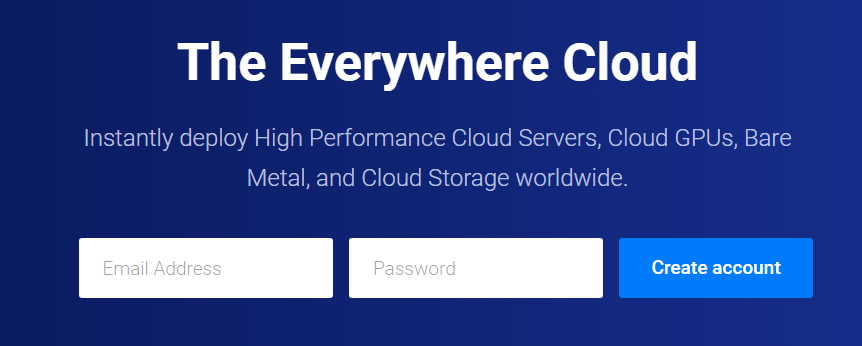
3. Check your inbox and hit the confirmation link for the email you got from the host.
4. Vultr dashboard will open.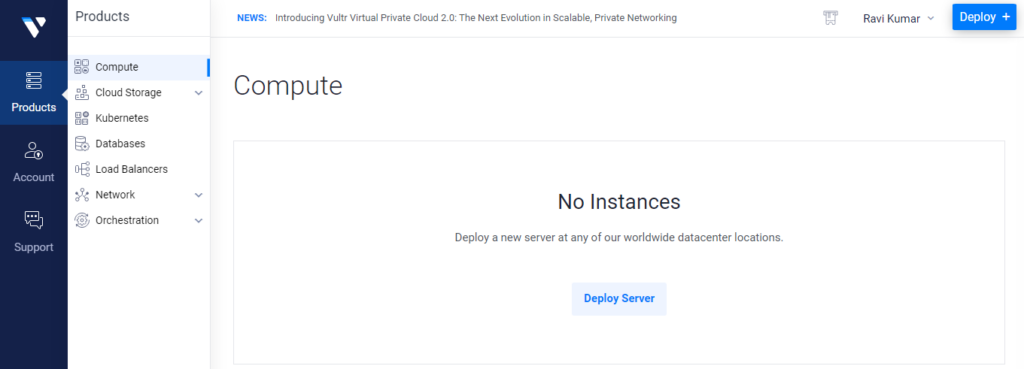
5. It’s time to verify a payment method in order to get permission to launch the server under a free trial.
6. Go to Account>Billing>Make a Payment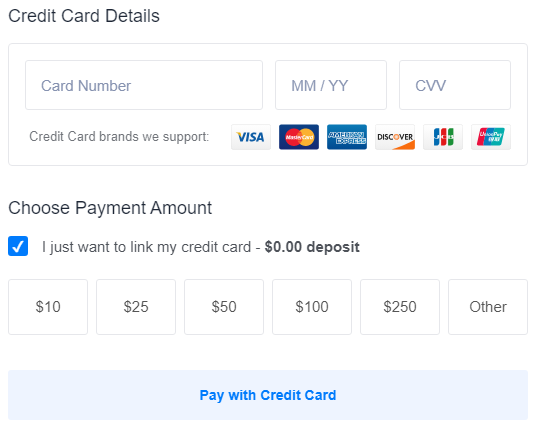
Here you can link your credit card. It requires no charges until the trial expires. 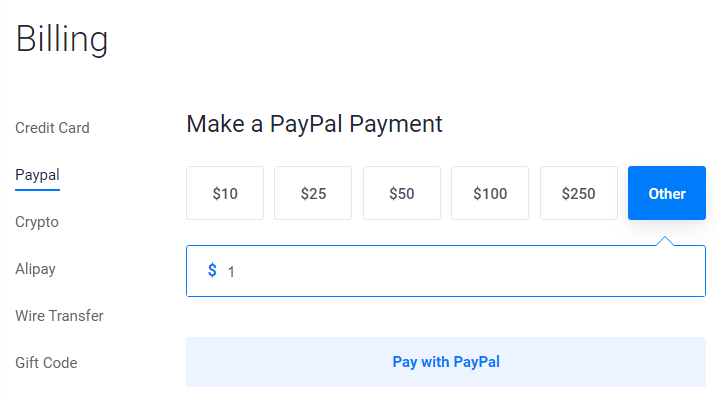 If you choose PayPal, at least a $1 payment is required. Moreover, you can find crypto, Alipay, wire transfers, and gift codes to verify yourself.
7. Now your account is ready to deploy the first server.
About Vultr
Vultr is a versatile cloud platform that believes in flexibility. You can choose an Intel chip if you’re an Intel fanboy. Either you can select an AMD processor. The chips are available in shared form for affordability and dedicated form for enterprise-grade deployment.
As we know, the era belongs to AI that needs GPU. The host has the latest AMD and NVIDIA GPUs for AI/ML, AR/VR, high-performance computing, and gaming.
VPS Pricing
The cloud VPS is quite affordable. The pricing starts from $2.50 per month and goes to $640 per month for the shared CPU plan.
| Plan | RAM | CPU | Storage (SSD) | Transfer | Price |
|---|---|---|---|---|---|
| Plan 1 | 512 MB | 1 CPU | 20 GB | 0.50 TB (IP6) | $2.5/m |
| Plan 2 | 512 MB | 1 CPU | 20 GB | 0.50 TB | $3.5/m |
| Plan 3 | 1024 MB | 1 CPU | 25 GB | 1 TB | $5/m |
| Plan 4 | 2 GB | 1 CPU | 40 GB | 2 TB | $10/m |
| Plan 5 | 4 GB | 2 CPU | 60 GB | 3 TB | $20/m |
| Plan 6 | 8 GB | 4 CPU | 100 GB | 4 TB | $40/m |
| Plan 7 | 16 GB | 6 CPU | 200 GB | 5 TB | $80/m |
| Plan 8 | 32 GB | 8 CPU | 300 GB | 6 TB | $160/m |
| Plan 9 | 64 GB | 16 CPU | 400 GB | 10 TB | $640/m |
Which Vultr Server Locations Should I Choose?
Which server should you go for? It totally depends on your market reach.
The cloud platform has 32 data center locations, which open plenty of markets for you. You can go for the nearest data center for better latency.
If your major audience is from Asia, deploying VPS in Singapore or Bangalore will be better for speed. For Europe, Frankfurt is the go-to option.
Although, if your business site is serving in a specific country, choose its country server.
FAQ
1. Does Vultr offer a $300 promo code in 2026?
Yes, Vultr occasionally provides promotional credits of up to $300 for new users. These credits allow you to test the cloud platform and deploy VPS instances without paying upfront. The credit is typically valid for 30 days, and you must verify your account with a payment method to activate it.
2. How do I claim the Vultr $250 or $300 credit?
To claim the Vultr promotional credit, simply activate a deal, create your account, verify your email, and add a valid payment method such as a credit card or PayPal. After verification, the promotional credit is automatically added to your account balance.
3. Do I need to enter a Vultr promo code during signup?
In most cases, no manual coupon code is required. When you activate a promotional offer through a partner page or special link, the credit is automatically applied to your account once the signup process is completed.
4. Is the Vultr free credit available for existing users?
No, Vultr promotional credits are usually limited to new customers only. If you already have an account, you generally cannot claim the free trial again unless Vultr launches a special campaign.
5. Why does Vultr require a credit card or PayPal for the trial?
Vultr asks for a payment method to verify user identity and prevent abuse of free trials. The platform typically does not charge anything while the promotional credit is active, although PayPal verification may require a small payment of around $1.
6. What happens when the Vultr free credit expires?
Once the promotional credit expires, Vultr begins charging your account based on the resources you continue using. If you do not want to be billed, you should destroy all active instances before the credit runs out.
7. How long does the Vultr promotional credit last?
Most Vultr promotions are valid for 14 to 30 days. During this period, you can deploy servers, test applications, or benchmark the infrastructure using the free credit provided.
8. What can I do with the Vultr trial credit?
The promotional credit can be used to test many services, including:
- VPS hosting
- WordPress deployment
- Docker containers
- CyberPanel hosting
- development and staging environments
It is a good way to evaluate the platform before committing to paid infrastructure.
9. Which Vultr data center should I choose?
You should select the server location closest to your target audience to achieve the best performance. For example, Singapore or Bangalore is ideal for Asian traffic, while Frankfurt or London works better for European users.
10. Is Vultr cheaper than other cloud providers?
Yes, Vultr is considered one of the most affordable cloud hosting providers. Their VPS plans start from around $2.50 per month, making it significantly cheaper than platforms like AWS or Google Cloud for small projects and development environments.

Ravi Kumar is a Server Performance Analyst with over 4 years of experience benchmarking cloud infrastructure. He has optimized and stress-tested over 150+ websites, digging deep into uptime, disk latency, and CPU performance. Whether you’re looking for a free trial or a high-performance production server, Ravi uses real-world data to help you find the perfect host.