Do you want to try the CloudSigma free trial? If you are a student and have an intention of having fun with the server. Then its 1-hour free trial may be enough for you.
But if you’re a really serious student or a developer, the offer is too little. You should try Kamatera’s free trial for 30 days; it is one of the fastest-growing enterprise-grade cloud platforms.
Now let’s get started.
CloudSigma Free Trial
CloudSigma doesn’t require any registration. So deploying a server is quite simple. But will you end up successfully installing a server? Not guaranteed. Their service is so unreliable and basic.
1. Head to CloudSigma.

2. Click for instant access.
3. Solve the captcha. It will directly land you on the CloudSigma VPS dashboard that allows you to deploy a VPS with SSH 22 for 1 hour at no cost.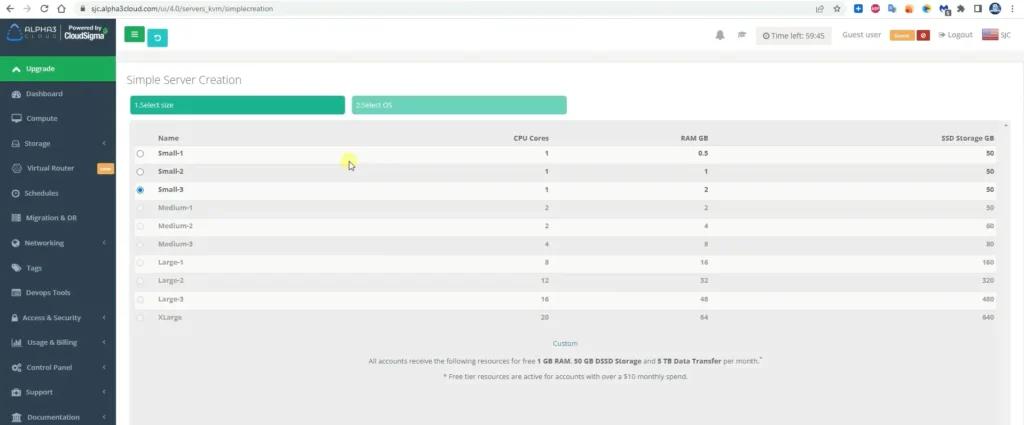
4. Select Server package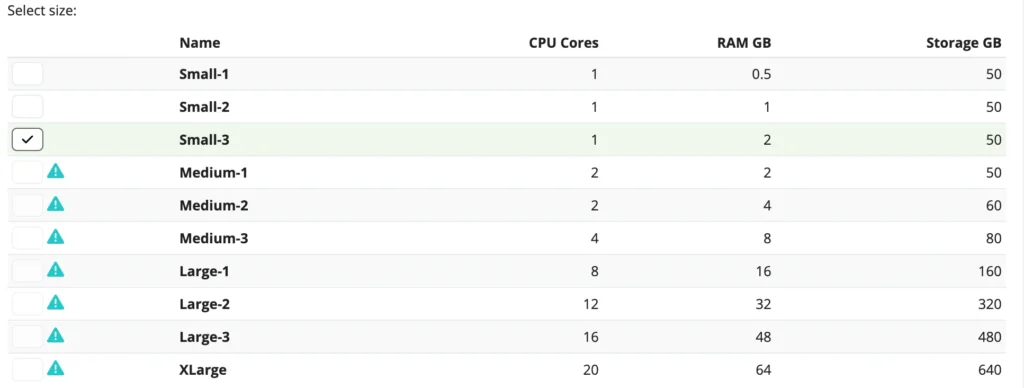
5. Choose OS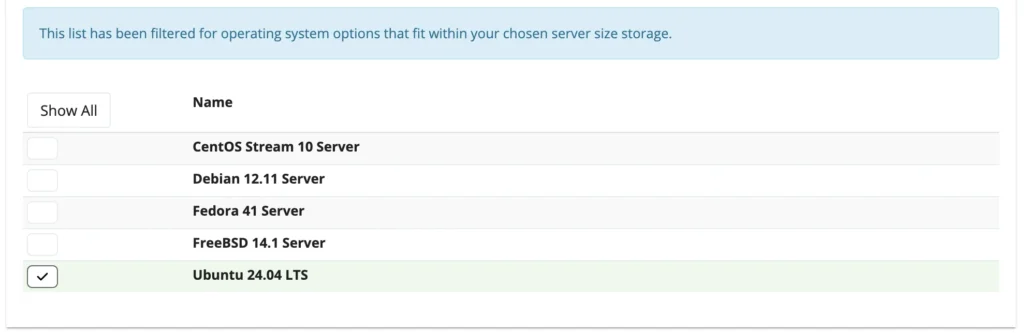
6. Generate SSH Key. 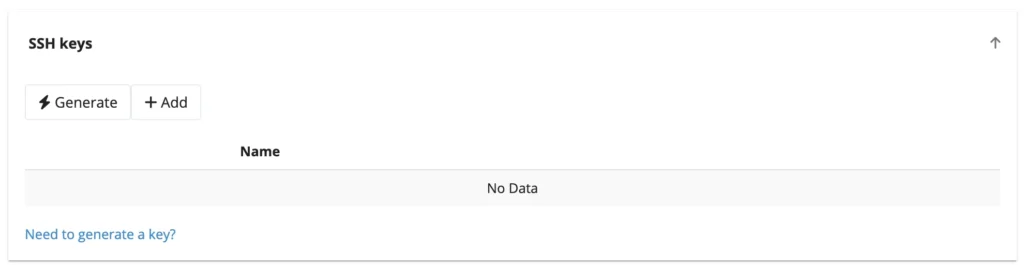 Hit generate or add your own one.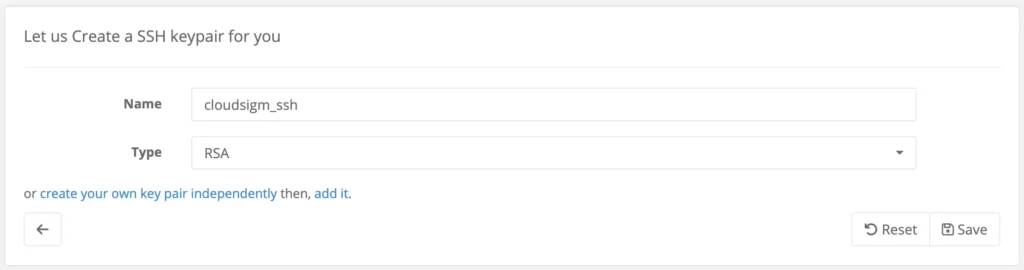
7. Press create. It will start creating a server and configuration. Although it will take time, and sometimes it fails.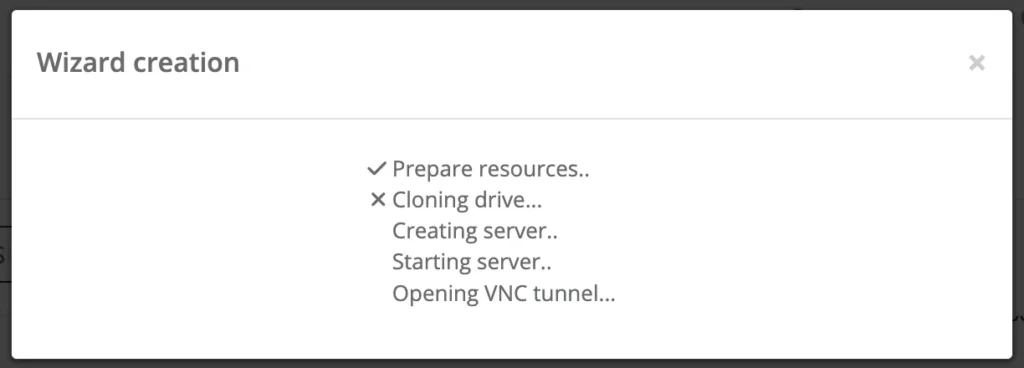
Unfortunately, I couldn’t create any server. So I needed to take help from 51Sec to complete the tutorial.
7. After successful server installation, you will get server details.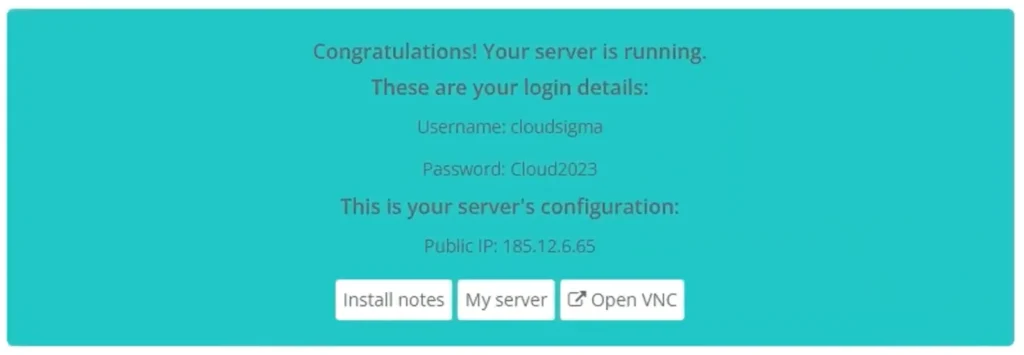
8. Open Terminal or Putty to access the server.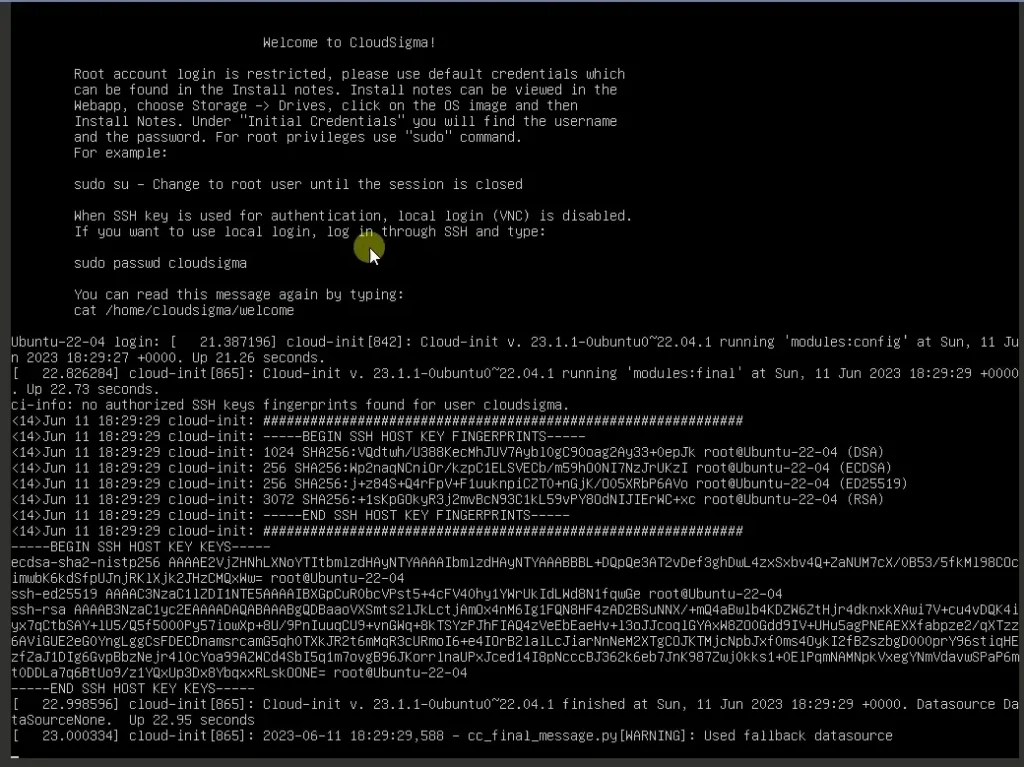
9. They will ask to change your password. Fulfill it.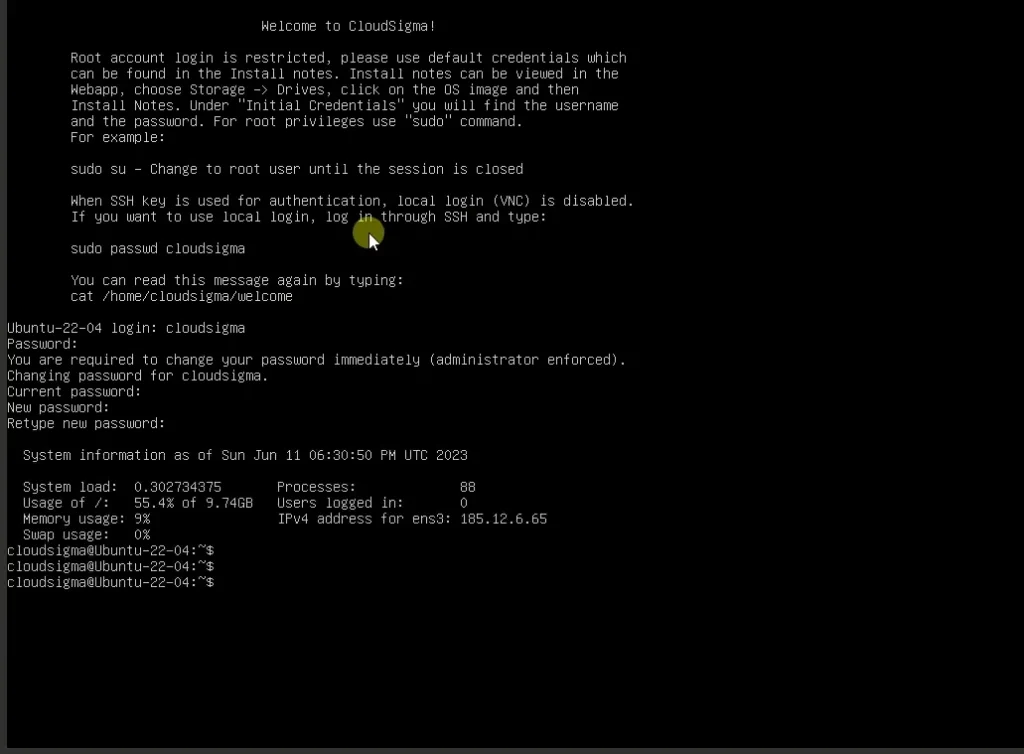
Resource under The Free Trial
They offer three server packages:
CPU Core 1 /RAM 0.5 GB/Storage 50 GB
CPU Core 1 /RAM 1 GB/Storage 50 GB
CPU Core 1 /RAM 2 GB/Storage 50 GB
Operating Software
CentOS Stream 10 Server
Debian 12.11 Server
Fedora 41 Server
FreeBSD 14.1 Server
Ubuntu 24.04 LTS
Port
22 SSH Only
No HTTP
No HTTPS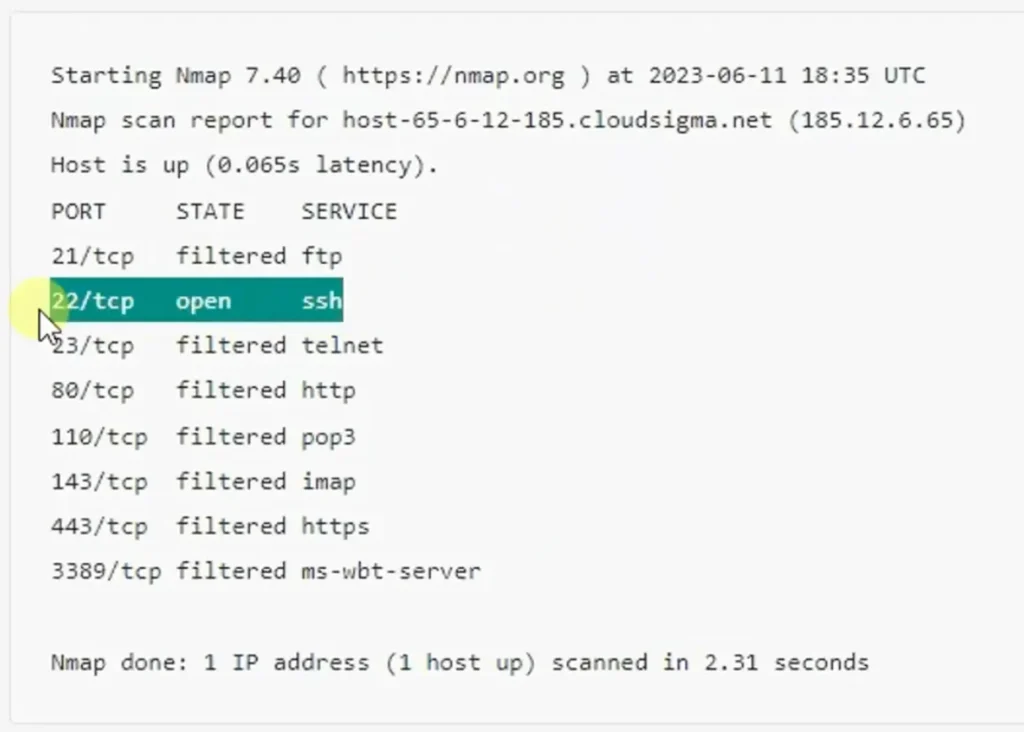
More Cloud Free Trials
1. Kamatera
Kamatera has done a tremendous job in recent years. They have heavily invested in improving their cloud server performance, security, and reliability.
We noticed the result-oriented changes in our independent test, as their server was able to achieve God-level 100% uptime, TTFB ~20 ms and 1 core VPS handled 10k users in real time.
Diagonal scaling is their core identity, and 100+ one-click apps assist beginners in launching their first web property on the cloud. These two features eliminate the need for developers and allow you to choose exactly what resource you need.
You will find 24 global data centers, a cloud firewall, DDoS protection, and disaster recovery management protecting you from the front.
Moreover, if you get stuck somewhere, their support on calls, email, and live chat is ready to help you.
2. Vultr
Vultr is known for their high-frequency servers, as their servers are built with 3 GHz Intel Skylake chips and NVMe storage.
The NVIDIA A16 unlocks top-notch performance for running heavy-duty processes, such as video rendering, AI calculations, live streaming, and gaming apps.
That’s why experienced developers rejoice to join them.
A vast bunch of data centers and a 100% uptime SLA allow you to keep your data accessible and closest to your audience with no interruption.
They also come with a free 30-day trial without a CC.
FAQ
1. What is the CloudSigma free trial?
The CloudSigma free trial is a 1-hour instant VPS access that allows users to deploy a temporary cloud server without creating an account. It’s mainly suitable for quick testing or learning basic server access.
2. Does CloudSigma require registration for the free trial?
No. CloudSigma does not require sign-up or credit card details. You can directly access the VPS dashboard after solving a captcha and start deploying a server instantly.
3. How long does the CloudSigma free trial last?
The free trial lasts only 1 hour. Once the time expires, the server is terminated automatically, making it unsuitable for long-term testing or real projects.
4. What resources are included in the CloudSigma free trial?
CloudSigma offers three limited server configurations during the trial:
- 1 vCPU / 0.5 GB RAM / 50 GB storage
- 1 vCPU / 1 GB RAM / 50 GB storage
- 1 vCPU / 2 GB RAM / 50 GB storage
All plans come with SSH (port 22) access only.
5. Which operating systems are available on the CloudSigma free trial?
You can choose from multiple Linux and BSD distributions, including:
- Ubuntu 24.04 LTS
- Debian 12.11
- CentOS Stream 10
- Fedora 41
- FreeBSD 14.1
6. Can I host a website on CloudSigma free trial?
No. The free trial does not allow HTTP or HTTPS ports, which means you cannot host websites or web apps. It’s limited strictly to SSH-based server access.
7. Is CloudSigma free trial reliable for students or developers?
For casual students, the trial can be useful for basic SSH practice. However, for serious students or developers, it’s unreliable—server creation often fails, and the 1-hour limit is too restrictive.
8. What is a better alternative to CloudSigma free trial?
If you need serious testing, Kamatera offers a 30-day free trial with enterprise-grade infrastructure, full root access, and real-world production readiness.
9. Why is Kamatera better than CloudSigma?
Kamatera provides:
- 30-day free trial (vs 1 hour)
- 24 global data centers
- Cloud firewall & DDoS protection
- 100+ one-click apps
- Excellent uptime and ultra-low latency
- 24/7 support via live chat, email, and phone
It’s ideal for developers, startups, and production workloads.
10. Are there other cloud free trials besides CloudSigma?
Yes. Vultr is another strong option, offering:
- High-frequency Intel CPUs
- NVMe SSD storage
- Optional NVIDIA GPU (A16)
- 100% uptime SLA
- 30-day free trial with no credit card
It’s especially popular among experienced developers and performance-heavy workloads.

Ravi Kumar is a Server Performance Analyst with over 4 years of experience benchmarking cloud infrastructure. He has optimized and stress-tested over 150+ websites, digging deep into uptime, disk latency, and CPU performance. Whether you’re looking for a free trial or a high-performance production server, Ravi uses real-world data to help you find the perfect host.