Hetzner is quite a widespread name in cloud hosting, especially in Europe. But it doesn’t mean that it will fit for all. You are one of them.
With the expectation, you had signed up for it, but you didn’t get it. Then it is a wise choice to choose a better alternative like Kamatera, which provides enterprise-grade cloud servers with rock-solid performance.
Before you go for an alternative, let’s delete the Hetzner account.
How to Delete Hetzner Account
Getting rid of a Hetzner account is a long process, and it’s irreversible. You should make a backup of your web property first. Now you need to delete all active services in order to delete your account. You need to follow multiple phases.

Delete Individual Services

1. Log into the Hetzner console.
2. Go to your server and click three dots.
3. Select delete, 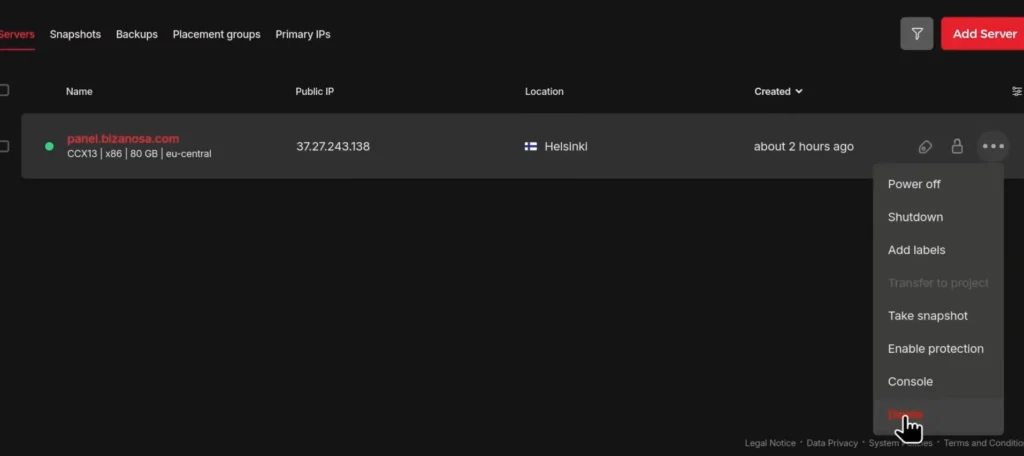 paste the server name,
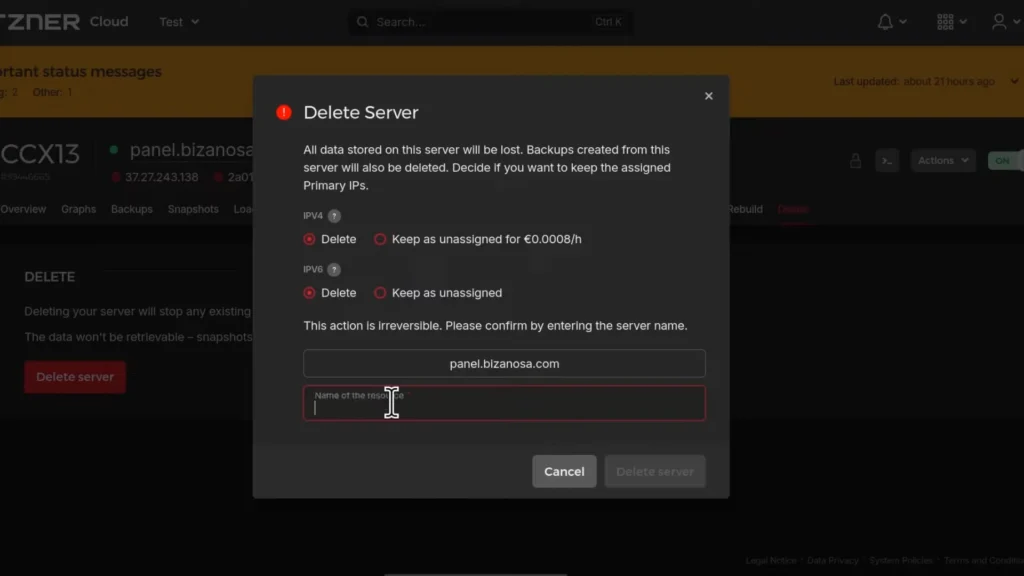 and delete the server.
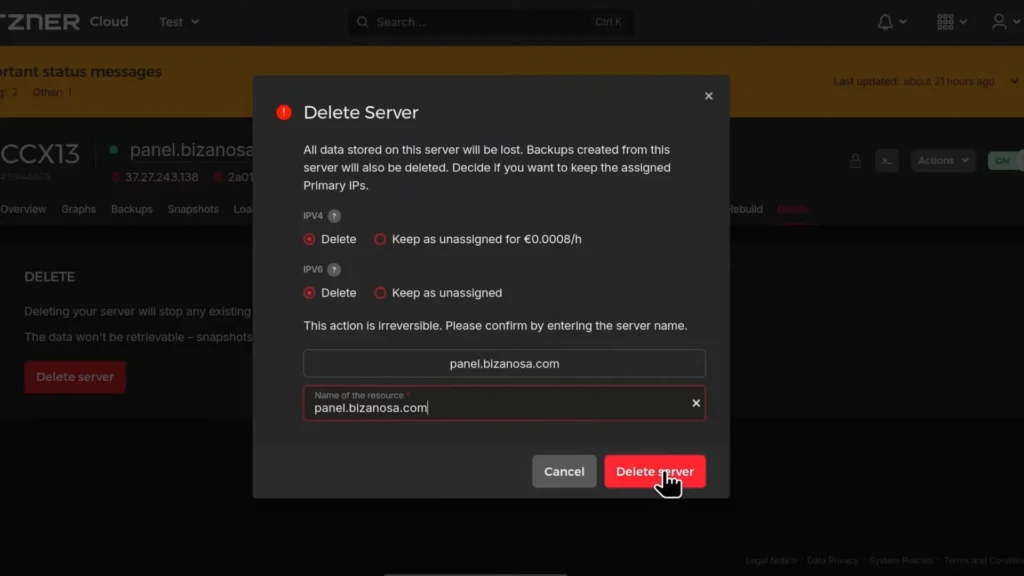
In a few seconds, your server will be deleted.
Likewise, you can delete other products like web hosting, domain, storage, SSL certificates, etc., that you use on the platform.
Delete Dedicated Servers
1. Use the Robot interface for dedicated servers.
2. Submit a support request via your Robot account for cancellation.
3. Remember, some products follow a 30-day notice period to the end of the month.
How To Delete Your Entire Account
We assume you have deleted all the services.
1. Go to settings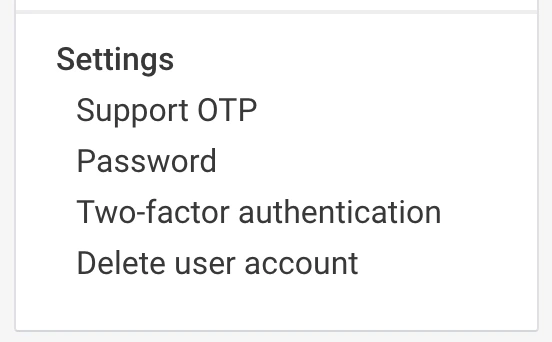
2. Hit Delete user account 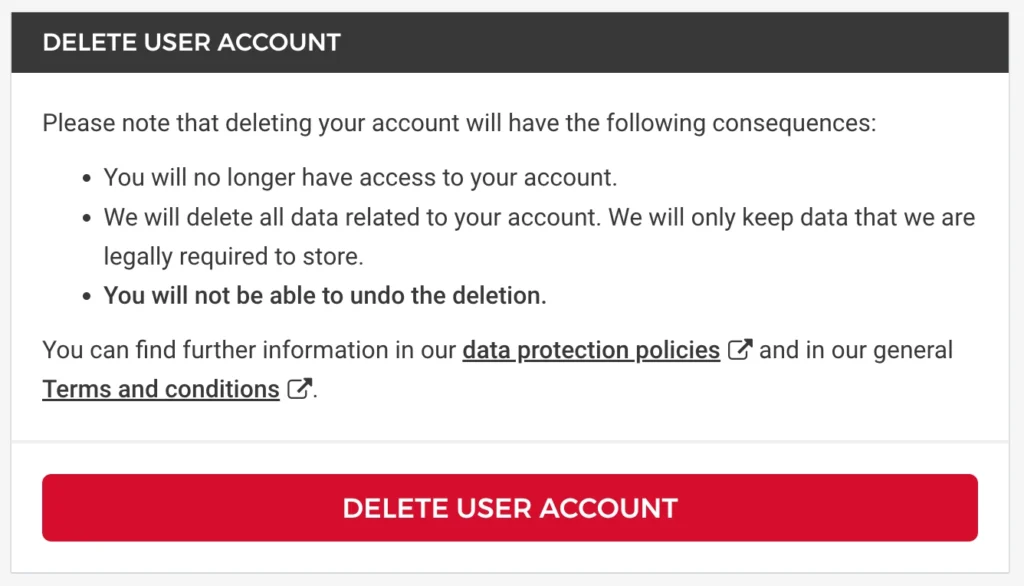 and hit again
3. Enter the account password 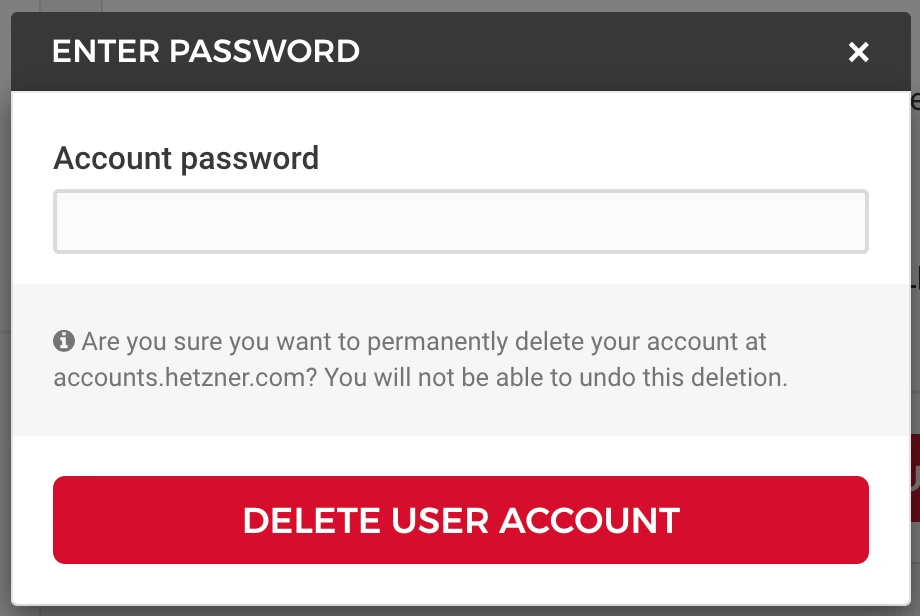 and hit once more.
Your entire account will elope immediately.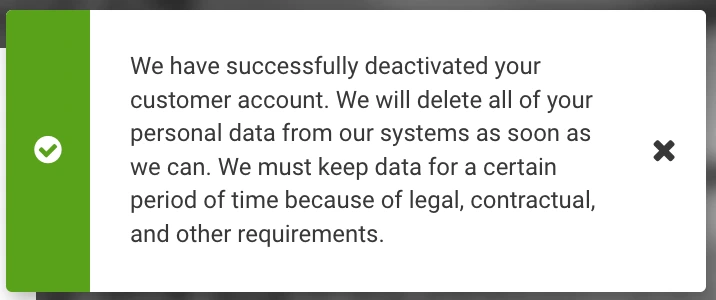
How To Get Refund
The platform offers a 14-day money-back guarantee for new customers. It is based on German consumer protection laws that apply to all EU customers.
- Refunds are only available within 14 days of contract conclusion.
- First-time customers only.
- Full refund of all payments received, including delivery charges.
- Refunds are processed using your original payment method.
Hetzner Alternative

Kamatera has done a tremendous job in recent years. They have heavily invested in improving their cloud server performance, security, and reliability.
We noticed the result-oriented changes in our independent test, as their server was able to achieve God-level 100% uptime, TTFB ~20 ms and 1 core VPS handled 10k users in real time.
Diagonal scaling is their core identity, and 100+ one-click apps assist beginners in launching their first web property on the cloud. These two features eliminate the need for developers and allow you to choose exactly what resource you need.
You will find 24 global data centers, a cloud firewall, DDoS protection, and disaster recovery management protecting you from the front.
Moreover, if you get stuck somewhere, their support on calls, email, and live chat is ready to help you.
FAQ
1. Is deleting a Hetzner account permanent?
Yes, deleting your Hetzner account is completely irreversible. Once the account is removed, you lose access to all services, invoices, backups, and server data. That’s why it’s critical to back up your websites, databases, and important files before initiating the deletion process.
2. Do I need to cancel all services before deleting my Hetzner account?
Absolutely. Hetzner does not allow full account deletion while active services exist. You must manually delete or cancel:
- Cloud servers
- Dedicated servers (via Robot interface)
- Domains
- Storage boxes
- SSL certificates
- Web hosting packages
Only after all services are terminated can you delete your user account from the settings panel.
3. Does Hetzner have a notice period for cancellation?
Yes, some Hetzner products, especially dedicated servers, require a 30-day notice period to the end of the month. If you miss the deadline, billing may continue for the next cycle. Always check the cancellation terms inside your contract before submitting a request.
4. Can I get a refund after deleting my Hetzner account?
Hetzner offers a 14-day money-back guarantee for new customers under German consumer protection law. To qualify:
- You must request cancellation within 14 days of contract signing.
- It applies only to first-time customers.
- Refunds are processed to your original payment method.
After 14 days, refunds are generally not available.
5. What should I do before deleting my Hetzner servers?
Before deleting any server, make sure you:
- Take a full backup (files + database).
- Download billing invoices if needed.
- Transfer domains to another registrar (if applicable).
- Cancel recurring payments to avoid unexpected charges.
Once deleted, data cannot be restored unless you have external backups.
6. What is a better alternative to Hetzner in 2026?
If Hetzner didn’t meet your expectations, platforms like Kamatera can be a strong alternative. It offers:
- Flexible diagonal scaling
- 24 global data centers
- 100+ one-click applications
- Cloud firewall & DDoS protection
- 24/7 live support
From a performance perspective, enterprise-grade infrastructure and customizable cloud resources make it ideal for growing businesses that need more flexibility than traditional hosting setups.
More Account Cancellation Guide
- How to Delete DigitalOcean Account Easily + Get Refund
- How To Delete Scalacube Account + Get Instant Refund
- How to Delete Netcup Account & Get Refund Easily
- How To Delete Vultr Account & Get A Fast Refund
- How To Delete UpCloud Account + Get A Instant Refund
- How To Delete Linode Account + Get An Instant Refund
- How to Delete IONOS Account & Get Refund Easily
- How to Delete Contabo Account & Get Refund Easily

Ravi Kumar is a Server Performance Analyst with over 4 years of experience benchmarking cloud infrastructure. He has optimized and stress-tested over 150+ websites, digging deep into uptime, disk latency, and CPU performance. Whether you’re looking for a free trial or a high-performance production server, Ravi uses real-world data to help you find the perfect host.